

Key Takeaways
- RAM is working memory - it holds active data so your processor doesn't wait on slower storage.
- Upgrading from 4GB or 8GB can meaningfully improve multitasking and reduce slowdowns.
- Going beyond 16GB rarely benefits everyday users unless specific workloads demand it.
- Some laptops have RAM soldered to the board and cannot be upgraded at all.
- If storage is your real bottleneck, adding RAM will make little noticeable difference.
Reduces slowdowns during heavy multitasking
When RAM is the true bottleneck, adding more directly reduces how often the system falls back to slower paging. Users running many applications simultaneously often notice the improvement immediately.
Extends the useful life of an older machine
A laptop or desktop that feels outdated may simply be underpowered for today's software demands. Adding RAM is one of the least expensive ways to close that gap without replacing the whole system.
Supports memory-intensive creative applications
Video editing, photo processing, and audio production tools are designed to use available RAM to buffer large files in real time. More RAM means fewer pauses waiting on disk reads.
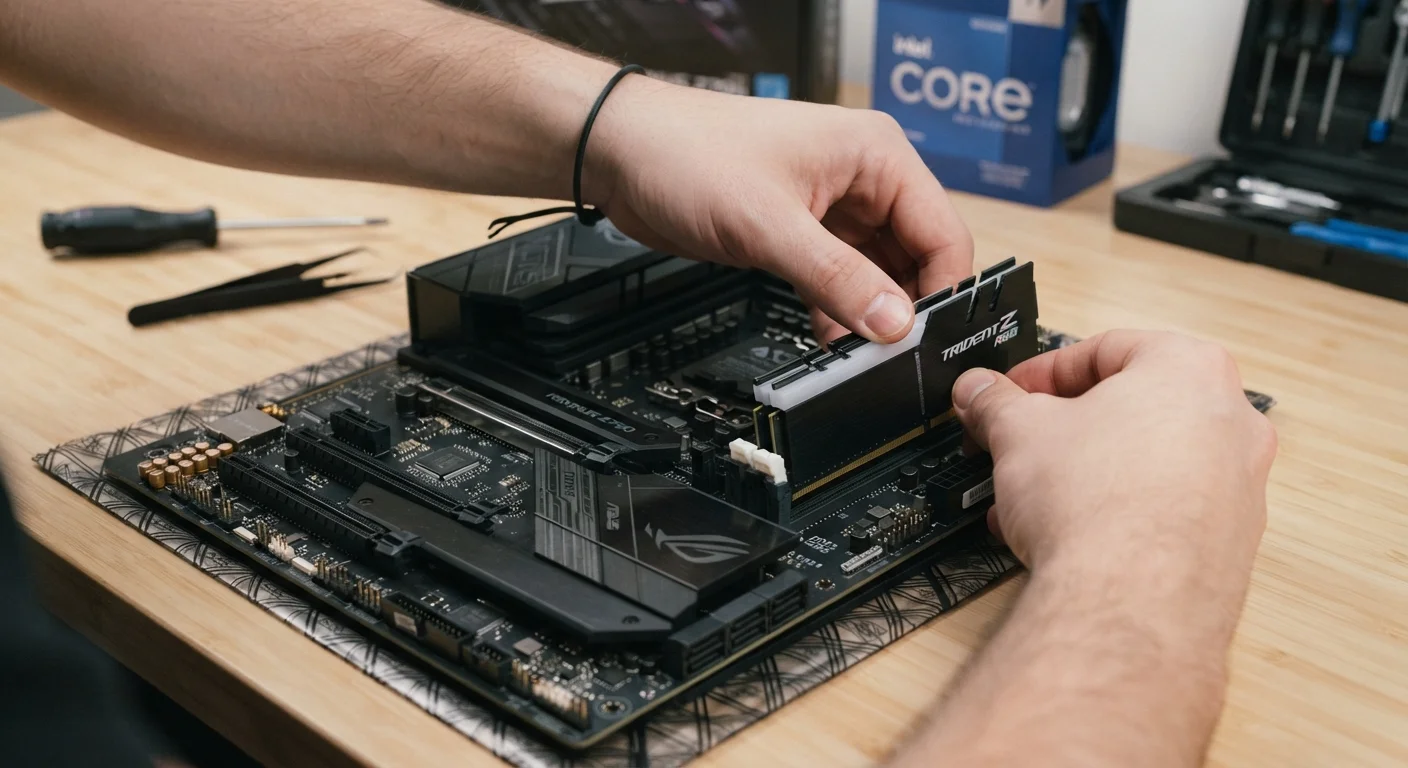
Relatively straightforward installation on desktops
In desktop PCs and many laptops with accessible slots, RAM installation requires no specialized tools and carries low risk when basic static-safety precautions are followed.
Improves gaming performance in RAM-limited scenarios
Some games, particularly open-world titles, are sensitive to available RAM. Upgrading from 8GB to 16GB can reduce stuttering in these titles, though GPU and CPU remain the primary gaming factors.
Makes no difference if RAM isn't the bottleneck
If your slowdowns are caused by a failing hard drive, an overloaded CPU, or malware, adding RAM will not help. Diagnosing the actual cause before upgrading is essential.
Many laptops have non-upgradeable soldered RAM
Thin laptops and ultrabooks frequently solder RAM directly to the motherboard to save space and reduce power draw. These systems cannot be upgraded after purchase.
Diminishing returns above 16GB for most users
Everyday computing tasks - browsing, streaming, office work - rarely push past 12GB of actual usage. Paying for 32GB or 64GB on a general-purpose machine delivers no practical benefit.
Wrong RAM type can cause compatibility failures
DDR4 and DDR5 are not interchangeable, and speed ratings must match what the motherboard supports. Installing incompatible RAM can prevent the system from booting entirely.
Cost may not justify the performance gain
If the system also needs a storage upgrade or has other aging components, RAM alone may not deliver the experience improvement the user expects, making the investment feel wasted.
Our Verdict
A RAM upgrade is one of the most cost-effective ways to extend a computer's useful life - provided RAM is genuinely the constraint. For machines running 8GB or less under modern workloads, the difference can be dramatic. For those already at 16GB doing everyday tasks, the gains are unlikely to justify the effort or cost.
Best for users on 8GB or less who multitask regularly, run memory-hungry applications, or notice consistent slowdowns when switching between programs.
What RAM Actually Does - and Why It Matters
RAM (Random Access Memory) is your computer's short-term working memory. It holds the data your processor is actively using - open browser tabs, running applications, loaded files - so the system doesn't have to repeatedly fetch that data from much slower storage. When RAM fills up, your computer is forced to use a portion of your hard drive or SSD as a temporary overflow area, a process called paging or virtual memory. That's when you experience the classic symptoms: sluggish multitasking, long application load times, and a system that feels like it's thinking too hard.
The question of whether to upgrade isn't just about adding more - it's about understanding whether RAM is actually the limiting factor in your machine. For a deeper look at diagnosing what's really slowing your computer down, see RAM, SSD, or GPU: Which Upgrade Actually Fixes Your Slow Computer?.
The Case For Upgrading Your RAM
There are clear, well-documented scenarios where adding RAM makes a measurable difference.
Reduces slowdowns during heavy multitasking
When RAM is the true bottleneck, adding more directly reduces how often the system falls back to slower paging. Users running many applications simultaneously often notice the improvement immediately.
Extends the useful life of an older machine
A laptop or desktop that feels outdated may simply be underpowered for today's software demands. Adding RAM is one of the least expensive ways to close that gap without replacing the whole system.
Supports memory-intensive creative applications
Video editing, photo processing, and audio production tools are designed to use available RAM to buffer large files in real time. More RAM means fewer pauses waiting on disk reads.
Relatively straightforward installation on desktops
In desktop PCs and many laptops with accessible slots, RAM installation requires no specialized tools and carries low risk when basic static-safety precautions are followed.
Improves gaming performance in RAM-limited scenarios
Some games, particularly open-world titles, are sensitive to available RAM. Upgrading from 8GB to 16GB can reduce stuttering in these titles, though GPU and CPU remain the primary gaming factors.
8GB
Minimum RAM for comfortable modern use
Operating system vendors and software developers broadly recommend at least 8GB for running current versions of Windows 11 or macOS with typical applications open.
16GB
Sweet spot for most general consumers
Industry benchmarks and user experience data consistently show 16GB handles the vast majority of everyday and prosumer workloads without paging under normal conditions.
Multitaskers - people who keep dozens of browser tabs open alongside a video call, a document editor, and a music app - are strong candidates. Modern browsers like Chrome and Edge are particularly memory-hungry, with each tab consuming anywhere from 50MB to several hundred megabytes. At 8GB total, a busy session can exhaust available RAM quickly.
Creative professionals working with photo editing software, video timelines, or audio production also benefit significantly. These applications are explicitly designed to use as much RAM as available to handle large files without constantly reading from disk.
The Case Against - When More RAM Won't Help
RAM upgrades have real limits, and misreading the situation leads to wasted money and unchanged performance.
Makes no difference if RAM isn't the bottleneck
If your slowdowns are caused by a failing hard drive, an overloaded CPU, or malware, adding RAM will not help. Diagnosing the actual cause before upgrading is essential.
Many laptops have non-upgradeable soldered RAM
Thin laptops and ultrabooks frequently solder RAM directly to the motherboard to save space and reduce power draw. These systems cannot be upgraded after purchase.
Diminishing returns above 16GB for most users
Everyday computing tasks - browsing, streaming, office work - rarely push past 12GB of actual usage. Paying for 32GB or 64GB on a general-purpose machine delivers no practical benefit.
Wrong RAM type can cause compatibility failures
DDR4 and DDR5 are not interchangeable, and speed ratings must match what the motherboard supports. Installing incompatible RAM can prevent the system from booting entirely.
Cost may not justify the performance gain
If the system also needs a storage upgrade or has other aging components, RAM alone may not deliver the experience improvement the user expects, making the investment feel wasted.
The most common mistake is upgrading RAM when storage is the actual bottleneck. A slow mechanical hard drive will make a system feel sluggish even with 32GB of RAM installed. In those cases, switching to an SSD will deliver far more noticeable gains. Similarly, if your CPU is consistently maxed out, no amount of RAM will make the system feel faster.
It's also worth noting that many modern laptops - particularly thin-and-light models - have RAM soldered directly onto the motherboard. In those cases, upgrading simply isn't possible. Always verify upgradeability before purchasing RAM. Seven things worth knowing before upgrading a desktop component covers compatibility realities you should check first.
How Much RAM Is Actually Enough?
For most general consumers in the US today, 16GB is the practical sweet spot. It handles web browsing, office productivity, video streaming, casual gaming, and light creative work without strain. Going to 32GB is defensible for video editors, software developers, and power users running virtual machines - but for everyday use, the return diminishes sharply.
Check Before You Buy
Not all RAM is interchangeable. Your system's motherboard specifies a RAM generation (DDR4 or DDR5), maximum supported speed, and a capacity ceiling. Exceeding those specs won't result in a faster system - it will simply fail to boot. Check your system documentation or use a hardware identification tool to confirm what your machine actually supports before purchasing.
If you're currently on 4GB, an upgrade is urgent - modern operating systems alone consume close to that figure under load. At 8GB, an upgrade is worth serious consideration if you notice slowdowns during multitasking. At 16GB, hold off and investigate other causes before spending. For a broader look at how RAM compares to storage as a purchase factor, see RAM vs. Storage: The Difference Every Laptop Buyer Needs to Know.
Ready to move forward? Adding More RAM to Your Computer walks through checking compatibility, buying the right type, and safely installing it. And before you open the case, it's worth reviewing common upgrade myths that cost people money to avoid avoidable missteps.