

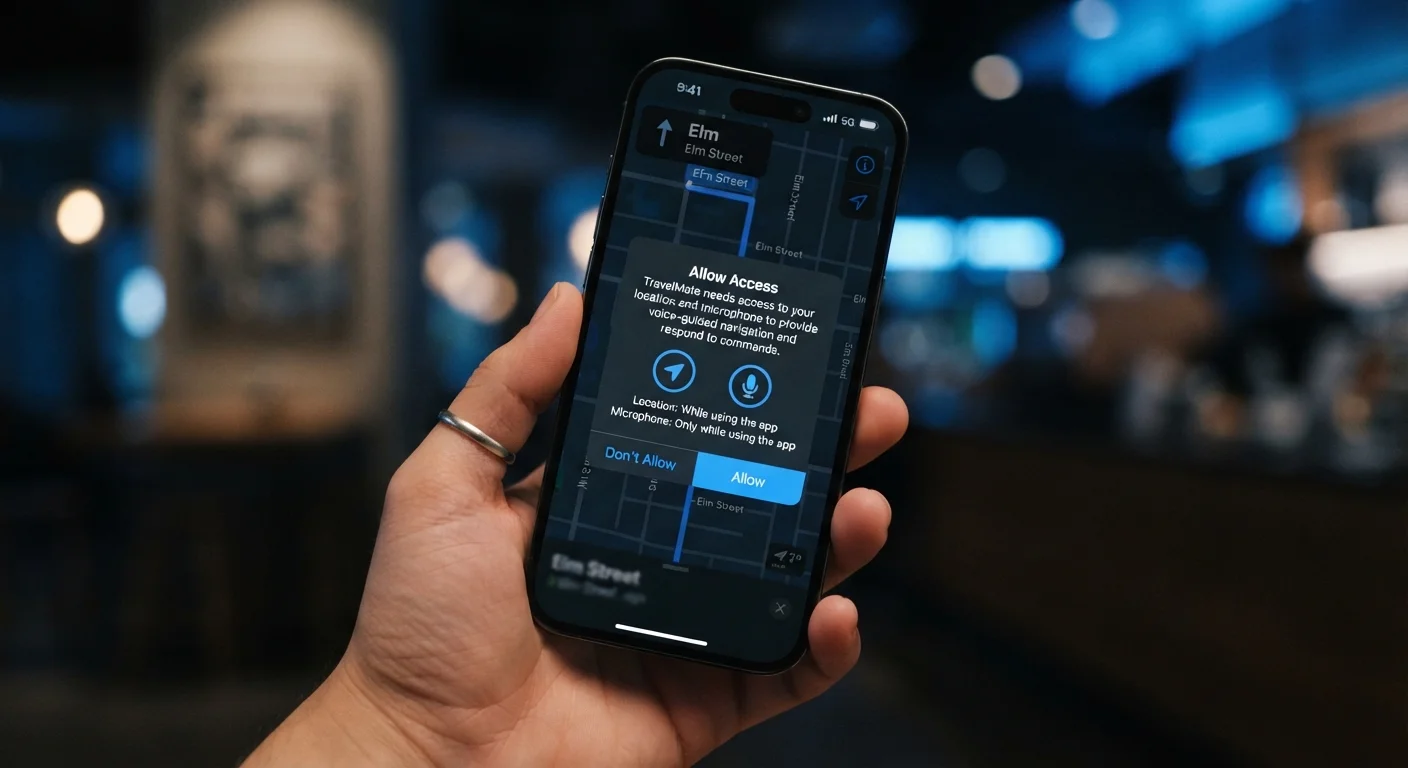
Key Takeaways
- Granting a permission gives an app ongoing access — not just one-time use — until you manually revoke it.
- Each permission type (location, microphone, contacts) exposes a distinct category of personal data.
- Both Android and iOS let you audit and revoke permissions at any time through system settings.
- A mismatch between an app's function and its permission requests is a meaningful warning sign.
- Background location access is significantly more privacy-sensitive than foreground-only access.
App Permissions
App permissions are access requests that mobile applications make to your device's hardware, sensors, or stored data. When you tap 'Allow,' you authorize that app to read, use, or transmit the specified resource — such as your location, camera, or contact list. Permissions exist because smartphone operating systems sandbox apps by default, meaning no app can access anything beyond its core function without explicit user consent.
On both Android and iOS, permissions are enforced at the OS level through a permission manifest. Android distinguishes between 'normal' permissions (granted automatically at install) and 'dangerous' permissions (requiring explicit runtime approval).
The Permission Model: How It Actually Works
Modern smartphone operating systems — Android and iOS alike — operate on a principle called least-privilege access. Every installed app starts with zero access to your hardware and personal data. To gain access, an app must declare the permissions it needs and, for sensitive resources, request user approval at runtime.
When a permission dialog appears, the operating system — not the app — is enforcing that gate. Tapping 'Allow' doesn't just unlock a feature; it registers a persistent authorization in the OS that the app can invoke repeatedly until you revoke it. This distinction matters: a single tap has ongoing consequences, not a one-time effect.
Permissions are grouped by the sensitivity of what they expose. Location, camera, microphone, contacts, and storage are classified as high-sensitivity because the data they access is personal, identifiable, or potentially exploitable. Network access, by contrast, is considered a normal permission on Android and is granted automatically — which is worth noting, since it means every app you install can communicate over the internet without asking.
Android and iOS Handle Permissions Differently
Android's permission system distinguishes between permissions automatically granted at install and those requiring runtime user approval. iOS applies runtime prompts more consistently across sensitive categories and introduced App Tracking Transparency in iOS 14.5, requiring a separate prompt before an app can track your activity across other apps and websites. The underlying principle is the same on both platforms, but the specific dialogs and granularity of control vary.
What Each Major Permission Actually Exposes
Understanding the practical scope of each permission type transforms abstract requests into concrete decisions.
- Location: Reveals your physical whereabouts in real time. 'Precise' location uses GPS and can pinpoint you within meters. 'Approximate' location uses Wi-Fi and cell tower triangulation for a broader radius. Background location access allows tracking even when the app is closed.
- Microphone: Enables live audio capture from your device's mic. This is legitimate for voice search, calls, and recording apps — but it creates an open channel to ambient sound if granted carelessly.
- Camera: Allows the app to activate your camera and capture images or video. Some apps request both front and rear camera access simultaneously.
- Contacts: Exposes names, phone numbers, email addresses, and sometimes relationship metadata for everyone stored in your address book — including people who haven't consented to share their data with that app.
- Storage / Files: On Android, broad storage access means an app can read documents, photos, and downloads across your device. iOS uses a more granular photo library permission with tiered access levels.
For a deeper look at how to evaluate each request in practice, see what each permission request means and when to decline.
Use 'While Using' as Your Default Starting Point
For location and microphone, defaulting to 'While Using' rather than 'Always' or 'Allow' gives you a practical safety net. You can always upgrade to broader access later if a specific feature genuinely requires it. Starting restrictive and expanding intentionally is a more defensible approach than granting broad access upfront and forgetting about it.
Reading Permission Requests Critically
The most useful question to ask when any permission dialog appears is: does this app's core function require this access? A navigation app requesting location makes logical sense. A recipe app requesting the same permission raises a legitimate question about why it needs to know where you are.
Red flags worth pausing on include:
- Permission requests that have no obvious connection to the app's stated purpose
- Requests for access to contacts or storage in apps that are single-function utilities
- Background location requests from apps that offer no location-based features
- Apps that refuse to function at all unless you grant every permission they request
Before installing anything new, it's worth building a habit around evaluating the full permission profile alongside developer reputation and update history. Our pre-install checklist walks through each of those factors in detail.
45%
Apps requesting location access unnecessarily
Research from the International Computer Science Institute found that a significant proportion of Android apps accessed sensitive data beyond what their core function required.
2–3×
Battery drain increase with background location
Independent battery testing has consistently shown that background GPS-based location access can increase overall battery consumption by a notable margin compared to foreground-only access.
This critical reading also applies beyond apps. If you've noticed similar questions arising when browsing the web, the same logic applies to cookie consent banners — understanding what cookie permissions actually mean is a natural companion to this topic.
Managing and Revoking Permissions Over Time
Permissions aren't permanent. Both Android and iOS provide permission managers that let you audit, restrict, or revoke access for every app on your device — at any time, without uninstalling anything.
A practical habit is to periodically review which apps hold location or microphone access and confirm whether you still use those apps regularly. Apps you haven't opened in months but that retain background location access are quietly collecting data with no corresponding benefit to you.
On iOS, you can also grant one-time location access — the app receives your location once for that session and must ask again next time. This is a useful middle ground for apps where you occasionally need location features but don't want persistent access.
For a comprehensive reference on managing permissions across both platforms, this overview of what you're agreeing to when you grant permissions covers the management side in detail.