

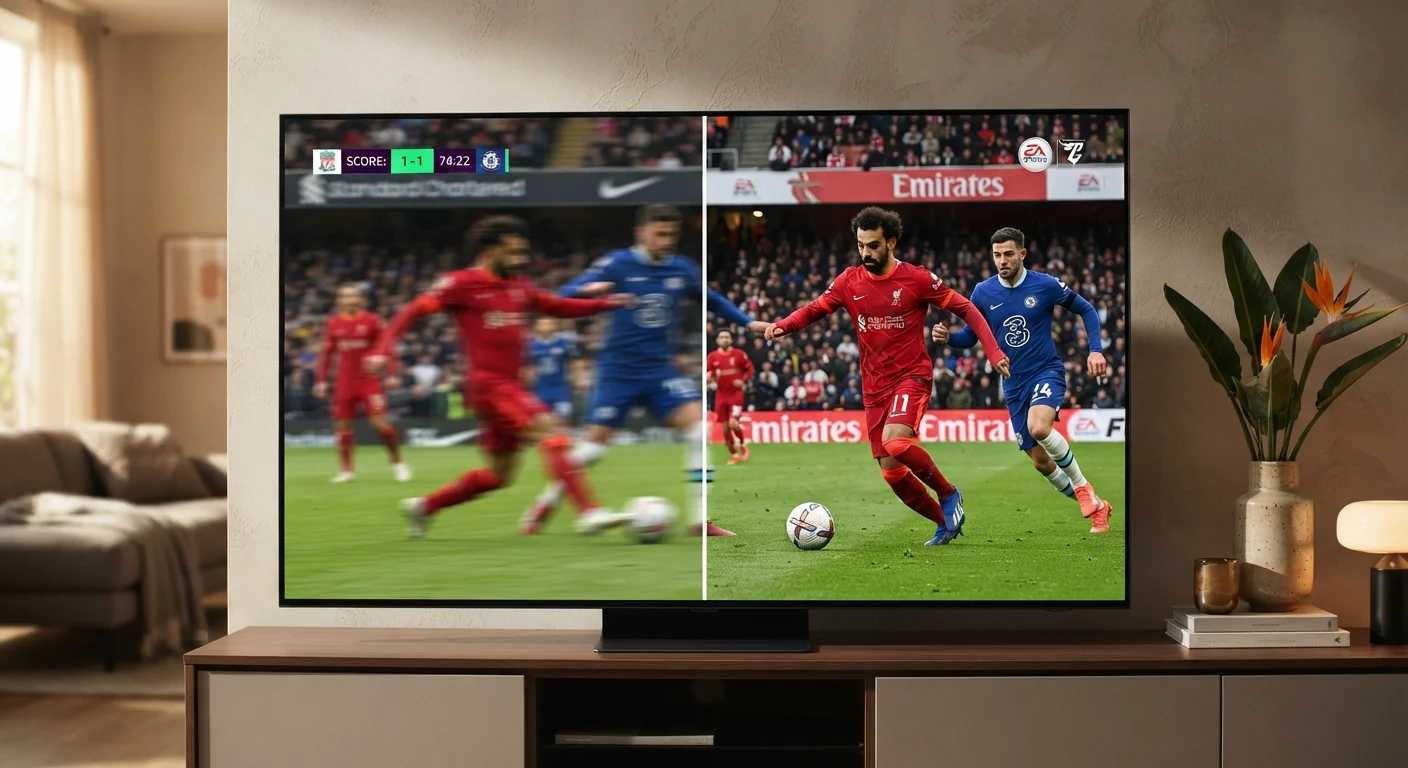
Key Takeaways
- Refresh rate measures how many times per second a TV redraws its image - higher numbers mean smoother motion.
- Motion blur is caused by both the display's pixel response time and the brain's persistence of vision.
- 120Hz panels offer a meaningful advantage for sports and gaming; film content is typically shot at 24fps.
- Many TV manufacturers advertise "effective" rates using motion processing - these differ from native hardware refresh rates.
- Source content frame rate and TV refresh rate both contribute to the final motion quality you see.
Refresh Rate
Refresh rate is how many times per second a TV redraws the image on screen, measured in hertz (Hz). A 60Hz TV updates 60 times per second; a 120Hz TV updates 120 times. Higher refresh rates generally produce smoother motion, especially during fast-moving content like sports or video games.
Refresh rate describes the display's capability, not the frame rate of the source content - a 120Hz TV playing 24fps film still refreshes 120 times per second using frame interpolation or repetition to fill the gap.
How Refresh Rate Works
Every image on a TV screen is built from millions of pixels that switch colors rapidly to simulate motion. Refresh rate - measured in hertz (Hz) - describes how many complete frames the display renders each second. At 60Hz, the screen redraws 60 distinct frames per second. At 120Hz, it does so twice as fast.
The human eye doesn't process motion as a series of still images; it perceives continuous movement. When a display refreshes slowly relative to the speed of on-screen action, the brain notices the gap between frames as blur or judder. A higher refresh rate reduces those gaps, producing a more seamless illusion of motion.
It's worth noting that refresh rate and source frame rate are separate things. A film shot at 24 frames per second (fps) delivers 24 distinct images per second regardless of the TV it plays on. The display must then decide how to fill the remaining refresh cycles - a process that directly affects the picture's look and feel. For a broader look at how display specifications connect, see our guide to TV specs that actually matter.
24fps
Standard cinematic frame rate
The majority of theatrical films and prestige TV dramas are shot and delivered at 24 frames per second, well below what most modern TV panels are capable of displaying natively.
120Hz
Native refresh rate in premium panels
Native 120Hz panels have become increasingly common in mid-range and higher TV categories, enabling direct 1:1 frame display for 60fps broadcast content with frames to spare.
120fps
Max frame rate for current-gen consoles
Several current-generation gaming consoles support up to 120fps output in supported titles, making TV refresh rate directly relevant to the gaming experience.
The Physics of Motion Blur
Motion blur on a TV screen isn't a single phenomenon - it has two distinct causes that are often confused.
The first is pixel response time: the speed at which an individual pixel transitions from one color to another. On older LCD panels, slow response times mean pixels linger on their previous color while the rest of the image has moved on, creating a trailing smear behind fast-moving objects. Modern panels have improved dramatically, but response time still varies between panel types and price tiers.
The second cause is sample-and-hold blur, sometimes called hold-type blur. Unlike older CRT televisions - which flickered briefly between each frame - modern flat-panel displays hold each frame illuminated until the next one arrives. Because the image stays static while the viewer's eyes track a moving object, the brain perceives blur even if the pixel itself responded instantly. This effect is present even on a technically perfect display with zero pixel response time.
Manufacturers address this through techniques like black frame insertion (BFI), which briefly dims the backlight between frames to mimic the CRT flicker that the brain doesn't perceive as blur. The trade-off is reduced peak brightness.
OLED vs. LCD and Response Time
Panel technology plays a role in motion clarity alongside refresh rate. OLED displays, which illuminate pixels individually rather than using a backlight, typically achieve faster pixel response times than conventional LCD panels. This reduces one component of motion blur, though sample-and-hold blur remains present in both technologies. For a deeper look at how panel types compare, see our TV resolution and display explainer.
Native Refresh Rate vs. Marketing Numbers
One of the most persistent sources of confusion in TV shopping is the gap between a panel's native refresh rate and the numbers printed in marketing materials. Terms like "Motion Rate 240," "TruMotion 120," and "Clear Motion" frequently appear in product listings - and almost always inflate the hardware figure.
These numbers typically refer to the effective motion performance achieved through a combination of native refresh rate and motion processing algorithms. A TV listed as "240 Motion Rate" often has a native 60Hz panel running motion interpolation software. The software estimates and inserts artificial frames between real ones to smooth motion - but the panel is still physically refreshing at 60Hz.
The practical takeaway: look specifically for native 120Hz if smoother motion is a priority. This specification should be confirmed in the product's technical sheet rather than its marketing headline. The same principle applies to smartphone screens, as explored in our explainer on smartphone display technology.
Check the Spec Sheet, Not the Box
When evaluating a TV's motion performance, look specifically for the native refresh rate in the manufacturer's technical documentation rather than the marketing rate displayed on packaging or product listings. The native rate - typically listed as "panel refresh rate" or "native Hz" - reflects what the hardware actually does. Motion processing figures can be useful for comparing post-processing quality within a brand's lineup, but they don't substitute for knowing the underlying hardware specification.
What This Means for Sports, Gaming, and Film
Refresh rate's real-world impact varies considerably depending on what you're watching.
Sports broadcasts are among the content most visibly affected by refresh rate. Live sports are typically broadcast at 60fps in the US, meaning a native 120Hz panel can display each source frame twice without interpolation - a clean, stutter-free result. Fast lateral movement, like a soccer ball crossing the screen or a quarterback throwing, resolves sharply rather than smearing.
Gaming is where 120Hz provides its clearest advantage. Current-generation consoles can output at up to 120fps, and a display capable of keeping pace reduces input lag and motion blur simultaneously, creating a more responsive experience. This mirrors findings in PC gaming, where higher refresh rates have long been standard for competitive play.
TV resolution and refresh rate work together - a high-resolution panel at 60Hz may still show motion blur even with a sharp, detailed static image.
Film and scripted content tell a different story. Most cinema and prestige television is shot at 24fps to create a specific cinematic quality. When motion interpolation is applied to this material, the result - often called the soap opera effect - makes it look artificially smooth and oddly video-like. Most viewers find this distracting. The good news: virtually every modern TV allows motion processing to be reduced or disabled in picture settings, preserving the intended cinematic look. The source content quality also matters - streaming compression can affect how motion artifacts appear even before refresh rate enters the picture.