

Key Takeaways
- Compression removes real visual data from video before it reaches your screen.
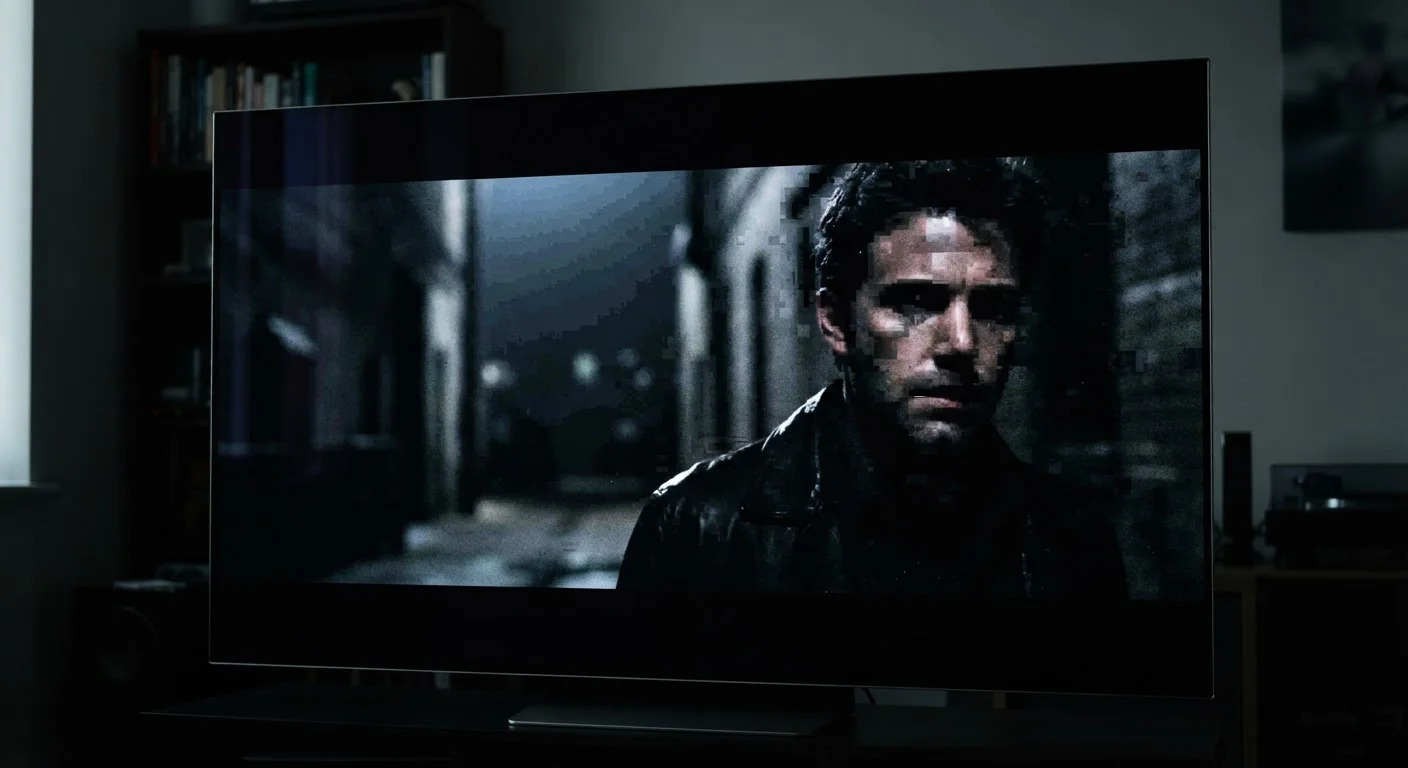
- Visible artifacts like banding, blocking, and noise are direct byproducts of heavy compression.
- Higher bitrates mean less compression and better picture quality.
- Fast motion, fine textures, and dark scenes expose compression weaknesses most dramatically.
- Your internet connection speed and a service's encoding settings both affect picture quality.
Streaming Video Compression
Streaming video compression is the process of reducing a video file's size before it travels over the internet to your TV or device. Codecs - specialized algorithms - accomplish this by identifying and discarding visual information the human eye is unlikely to notice. The result is a smaller file that can be delivered quickly, at the cost of some picture fidelity.
Modern streaming services primarily use codecs such as H.264 (AVC), H.265 (HEVC), AV1, and VP9, each offering different trade-offs between compression efficiency and computational decoding cost.
What Compression Actually Removes
When a video file is compressed for streaming, the codec analyzes each frame and makes decisions about what visual information is essential and what can be approximated or discarded. Two core techniques drive this process: spatial compression, which reduces detail within a single frame, and temporal compression, which avoids re-encoding information that hasn't changed between frames.
In practice, spatial compression groups pixels into blocks and replaces gradual variations in color or brightness with averaged values. A sky that fades from deep blue to pale blue in 200 subtle steps might be stored as 20 larger steps instead. Temporal compression goes further by storing only the differences between successive frames rather than complete frame data - a technique that breaks down dramatically during fast action, where almost every pixel changes at once.
The net result is that the picture reaching your screen is a mathematical reconstruction of the original, not the original itself.
80+ Mbps
Typical maximum bitrate for 4K Blu-ray
Industry specifications for UHD Blu-ray allow peak video bitrates exceeding 80 Mbps, compared to 15-25 Mbps for most 4K streaming tiers.
~50%
Bitrate reduction AV1 achieves vs. H.264
The Alliance for Open Media has documented that AV1 can deliver equivalent visual quality at roughly half the bitrate of H.264 in controlled encoding tests.
The Most Visible Artifacts - and When They Appear
Compression artifacts become visible under specific conditions. Understanding these helps consumers recognize the source of image problems rather than assuming a TV or streaming device is faulty.
- Macroblocking: Rectangular patches of smeared color appear when the codec can't keep up with rapid motion. Sports broadcasts and action films are especially susceptible.
- Color banding: Smooth gradients break into visible stepped bands. Dark scenes - night skies, moody interior lighting - expose this most obviously because the human eye is particularly sensitive to gradations in shadow.
- Mosquito noise: A shimmering, buzzing artifact that hovers around high-contrast edges like text or sharp lines. It's caused by the codec over-approximating edge transitions.
- Ringing and edge halos: Faint ghosting outlines appear around sharp object boundaries, a side effect of the frequency-based math the codec uses to reconstruct edges.
These artifacts intensify as bitrate drops. Streaming services dynamically adjust bitrate based on network conditions, so a stream that looks clean on a fast connection can degrade visibly on a congested one.
Test Your Stream on a Challenging Scene
To judge a service's compression quality, seek out a dark, slow scene with smooth gradients - like a candlelit interior or a twilight landscape. These scenes expose color banding and noise far more clearly than bright, fast-moving content. If the image holds up there, the encoding quality is generally solid.
Bitrate, Codecs, and Why They Matter to You
Bitrate - measured in megabits per second (Mbps) - is the single most direct indicator of how much compression a stream is carrying. Higher bitrate means more data per second, fewer approximations, and better picture fidelity. A typical 1080p stream might run at 5-8 Mbps, while a 4K HDR stream might reach 15-25 Mbps. For context, a 4K Blu-ray can exceed 80 Mbps.
The codec being used matters just as much as the bitrate. Newer codecs like AV1 and HEVC deliver better image quality at equivalent bitrates compared to older H.264. That means a service using AV1 can theoretically match the visual quality of an H.264 stream while using less of your bandwidth - though your device or TV must support the newer codec to benefit.
For a broader look at how display specifications interact with the signal your TV receives, see our breakdown of TV specs that actually matter. And if you're deciding whether your playback hardware is part of the equation, our guide on streaming devices versus smart TV built-ins is worth a read.
What You Can - and Can't - Control
Consumers have limited but meaningful influence over streaming picture quality. The most impactful steps are ensuring a fast, stable internet connection (wired Ethernet consistently outperforms Wi-Fi for sustained bitrate), selecting the highest available quality tier within a streaming service's settings, and using a device that supports modern codecs like AV1 or HEVC to extract more quality from the same bitrate.
What you can't control is the encoding decision the streaming service makes on its end. Services balance delivery costs against quality, and their internal encoding standards vary considerably. Some platforms use variable bitrate encoding that adapts aggressively to network conditions; others hold to more consistent quality floors.
Display processing also plays a role. Some TVs apply noise reduction or upscaling that can mask compression artifacts - or, if tuned aggressively, introduce their own visual distortions. For insight into how motion processing interacts with these signals, our explainer on refresh rate and motion blur covers the relevant trade-offs.
Understanding compression doesn't eliminate its effects, but it does help you set realistic expectations and make more informed decisions about the equipment and services in your home theater setup.