

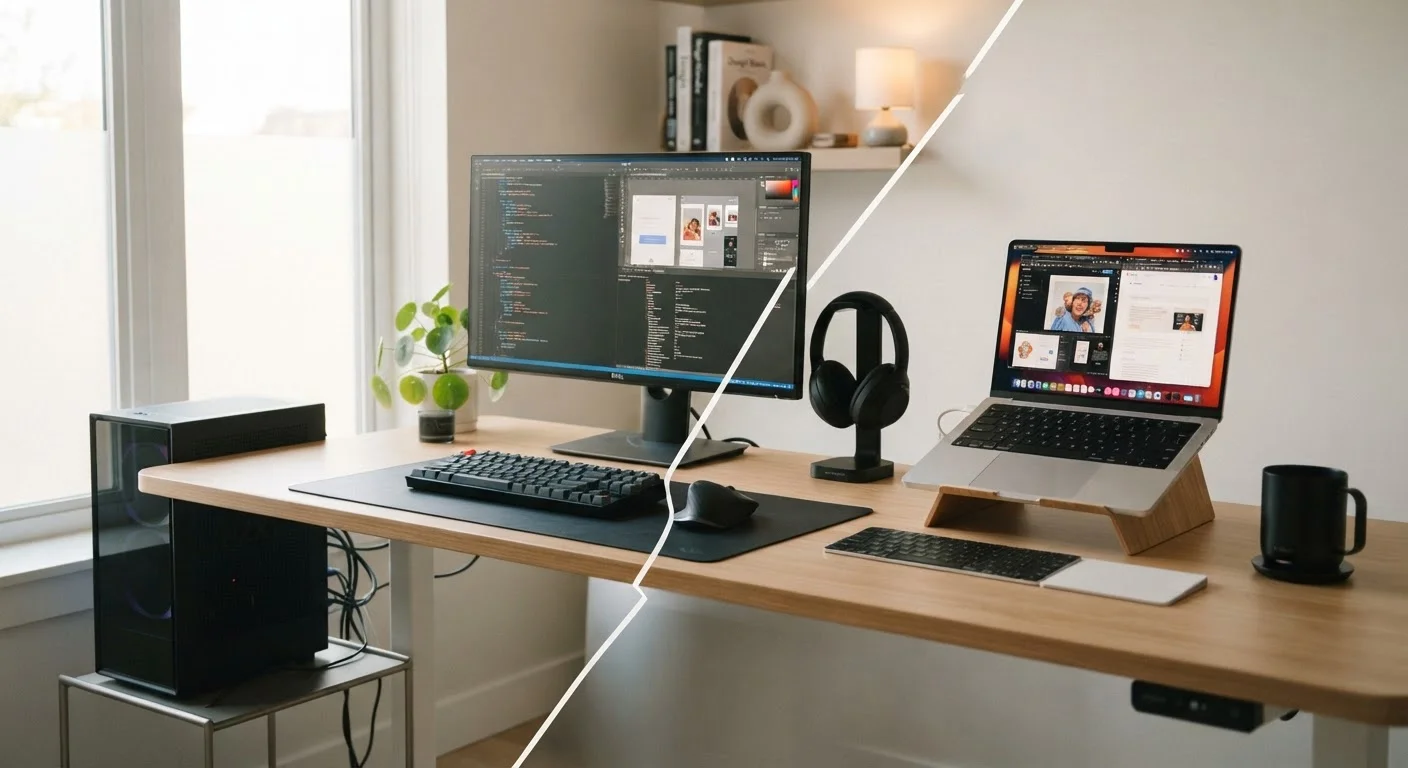
Key Takeaways
- Desktops generally deliver more computing power per dollar than laptops at comparable price points.
- Laptops trade raw performance for portability, battery life, and a built-in screen and keyboard.
- Desktops are significantly easier to upgrade over time; most laptops offer limited or no upgrade options.
- Your physical work habits - fixed desk vs. couch, office, or travel - should drive this decision more than specs.
- Neither form factor is universally better; the right choice depends entirely on your daily routine.
Option A
Desktop Computer
The stationary powerhouse built for permanence and performance.
Best for: Users who work from a fixed location and want maximum power, screen size, and long-term upgradability.
Option B
Laptop
The flexible all-in-one designed to go wherever you do.
Best for: Anyone who needs to work, study, or create in multiple locations - or just wants one device for everything.
If you mostly work from a single desk at home or in an office
Desktop Computer
A desktop gives you more screen real estate, better long-term value, and the ability to swap out components as your needs grow - without paying a portability premium.
If you move between locations regularly - home, office, campus, or coffee shops
Laptop
A laptop's portability eliminates the friction of working in multiple places, and modern laptops handle most everyday tasks without compromise.
If you do demanding work like video editing, 3D rendering, or gaming
Desktop Computer
Desktops can house more powerful processors and dedicated graphics cards, and they handle heat better - translating to sustained performance under heavy workloads.
If you're a student or someone who needs one device for everything
Laptop
A laptop functions as your computer, note-taking tool, and portable media device in one - making it a practical choice when flexibility matters most.
If long-term cost efficiency and repairability are priorities
Desktop Computer
Desktop components are more standardized and individually replaceable, making repairs more straightforward and extending the useful life of your investment.
The Core Trade-Off: Portability vs. Performance
The desktop-versus-laptop decision comes down to one honest question: how fixed is your computing life? If your computer lives on one desk and you rarely need it anywhere else, a desktop almost always gives you more for your money. If you move around - between rooms, offices, classrooms, or cities - a laptop removes friction that a desktop simply can't.
Desktops pack more capable hardware into their larger chassis. They can accommodate bigger cooling systems, which means processors and graphics cards can run at higher speeds for longer without throttling (slowing down to manage heat). Laptops are engineered to be thin, light, and battery-powered, which forces design compromises in every one of those areas.
That said, the gap has narrowed meaningfully. Modern laptop processors - particularly those designed with efficiency in mind - handle everyday tasks like web browsing, video calls, document editing, and media streaming without breaking a sweat. The performance gap becomes significant mainly at the demanding end: sustained video rendering, complex data work, or high-frame-rate gaming. For anything else, a well-chosen laptop is genuinely capable. See the trade-offs between ultrabooks and performance laptops if you're weighing those options within the laptop category.
Cost, Upgradability, and Long-Term Value
At a given price point, a desktop typically offers more processing power and storage than a laptop. You're not paying for a battery, a built-in display, or the engineering required to make everything miniature. That hardware advantage is real, though it does assume you already own a monitor, keyboard, and mouse - costs worth factoring in if you're starting from scratch.
Where desktops clearly win over time is upgradability. Most desktop towers let you add RAM (memory), swap in a larger storage drive, or install a newer graphics card years down the line. Laptops, by contrast, are largely sealed systems. Some allow a RAM or storage upgrade; many do not. Before buying any laptop, it's worth understanding what upgrades are realistically possible on each platform.
Repair costs also differ. Desktop components are standardized and often interchangeable. A failing hard drive, a bad power supply, or a burned-out fan is usually a straightforward fix. Laptop repairs - especially screen replacements or motherboard issues - can be expensive relative to the device's value.
| Criterion | Desktop | Laptop |
|---|---|---|
| Portability | None - stationary | Fully portable |
| Performance per dollar | Generally higher | Lower due to portability premium |
| Upgradability | High - most parts replaceable | Low - often sealed |
| Built-in display & keyboard | No - requires peripherals | Yes - all-in-one |
| Space required | Dedicated desk setup | Minimal - opens anywhere |
| Repairability | Straightforward, standardized parts | Often expensive and complex |
| Power dependency | Needs continuous power | Battery provides flexibility |
| Heat management | Superior - more cooling room | Limited - throttling possible |
If you're drawn to the desktop side but unsure which form factor suits your space, the comparison of towers, all-in-ones, and mini PCs explains the key differences clearly.
Practical Considerations Most Buyers Overlook
Setup space matters more than people expect. A desktop requires a dedicated area - monitor, tower or all-in-one unit, cables, and peripherals. That's a meaningful commitment in a small apartment or shared space. A laptop needs almost none of that: it opens anywhere and folds away when you're done.
Connectivity is another practical dividing line. Desktops offer abundant ports - multiple USB slots, audio jacks, video outputs - with no space penalty. Laptops increasingly sacrifice ports to stay thin, which can mean relying on adapters or docks. If port selection matters to your workflow, review which laptop ports you'd realistically use before deciding.
Power reliability is a quiet desktop vulnerability. A desktop requires continuous power - a sudden outage means losing unsaved work. Laptops carry their own battery buffer, which acts as a built-in surge protector for your data. For users in areas with unreliable power, that's a genuine practical advantage.
~60%
US households with a laptop as primary computer
Laptop ownership has outpaced desktop ownership in US homes for over a decade, reflecting the shift toward portable computing.
3-5 years
Typical laptop useful lifespan before major limitations appear
Industry analysts generally suggest planning for a laptop replacement cycle of three to five years, compared to five to seven or more for upgradable desktops.
Finally, consider the operating system landscape. Desktops run Windows or, in Apple's case, macOS. Laptops span Windows, macOS, ChromeOS, and Linux variants. The OS shapes daily experience as much as the hardware does - worth examining through our side-by-side OS comparison if you're undecided.