

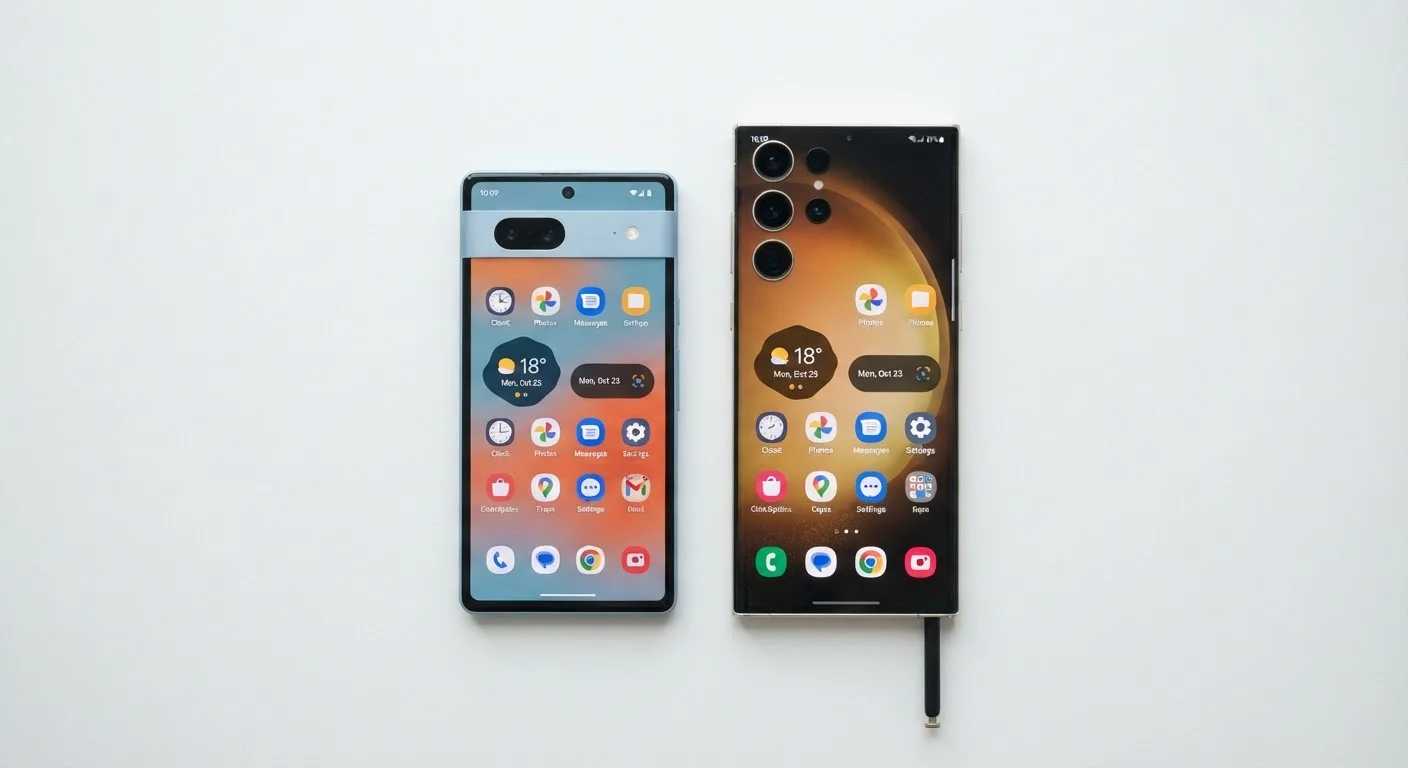
Key Takeaways
- Compact phones typically measure under 6.1 inches and are easier to use with one hand.
- Large-screen phones generally offer bigger batteries and more immersive media experiences.
- Hand size, primary use case, and carry habits should all factor into your size decision.
- Software features like reachability modes and gesture navigation partially close the usability gap.
- Neither form factor is objectively superior — the right choice depends on how you actually use your phone.
Easier one-handed reach across the full display
Compact phones keep the entire screen within thumb range for most hand sizes, reducing grip adjustments during common tasks like scrolling and tapping notifications.
More pocketable in everyday clothing
Smaller dimensions fit comfortably in front pockets of jeans, reducing the need for bags or jacket storage and lowering the risk of damage when seated.
Lighter weight reduces prolonged fatigue
Compact phones typically weigh 30–60 grams less than their large-screen counterparts, a difference that accumulates during extended calls, navigation, or gaming sessions.
Portrait typing tends to be more accurate
Shorter horizontal distance between keys matches natural thumb movement more closely for portrait-mode typists, resulting in fewer errors for many users.
Smaller battery capacity limits endurance
Physical size constraints restrict battery capacity, so compact phones generally require more frequent charging than large-screen alternatives under equivalent usage loads.
Less screen real estate for media and multitasking
Videos, documents, and split-screen apps are noticeably more cramped on smaller displays, reducing the practical utility of productivity-oriented features.
Fewer compact models at flagship spec tiers
Manufacturers have progressively reduced the number of small-format flagship releases, leaving consumers who want compact devices with fewer options at the premium tier.
Our Verdict
Compact phones deliver comfort, pocketability, and one-handed control at the cost of screen real estate and often battery capacity. Large-screen phones excel at media, productivity, and endurance but can feel unwieldy for everyday tasks. Neither size category is universally better — the ideal choice hinges on your hand size, daily habits, and what you primarily use your phone for.
Compact phones suit commuters, one-handed users, and those who prioritize portability, while large-screen phones are better matched to media consumers, mobile workers, and users who rarely pocket their device.
What 'Compact' and 'Large-Screen' Actually Mean Today
The definition of a compact phone has shifted considerably. Displays that once qualified as large — 5.4 to 6.0 inches — are now marketed as small or mini variants by major manufacturers. Most flagship releases today default to 6.1 inches and above, with ultra-wide models reaching 6.7 to 6.9 inches. For practical purposes, phones under roughly 6.1 inches are considered compact, while anything above that threshold falls into the large-screen category.
Physical width matters as much as diagonal measurement. A phone's screen-to-body ratio and aspect ratio directly affect grip comfort. Taller, narrower displays (20:9 aspect ratios) can stretch screen size while keeping overall width manageable — but they also shift the top of the display further from your thumb when using the device one-handed.
Aspect Ratio vs. Display Size
A phone's screen size (measured diagonally) doesn't tell the full story about how it fits in your hand. Two phones with identical 6.4-inch displays can feel quite different depending on aspect ratio — a 20:9 phone will be taller and narrower than an 18:9 model of the same diagonal. When evaluating ergonomics, checking the device's physical width in millimeters is often more informative than the screen size alone.
Ergonomics and One-Handed Use
Ergonomics is where compact phones hold their clearest advantage. A device with a 5.8-inch screen typically allows the average adult hand to reach the opposite corner of the display without repositioning the grip — a motion required dozens of times daily for tasks like closing notifications, tapping navigation buttons, or dismissing alerts. With a 6.7-inch device, that same reach requires a shift in palm position that, over hours of use, contributes to measurable hand strain.
Most mobile operating systems include one-handed mode or reachability gestures — a downward swipe on the home bar or edge to temporarily shift the UI downward. These features help, but they add a step to interactions that would otherwise be seamless on a smaller device. For users with smaller hands, or those who frequently type while standing or in transit, this friction is real. See our accessibility features overview for built-in tools that can further ease one-handed navigation.
Easier one-handed reach across the full display
Compact phones keep the entire screen within thumb range for most hand sizes, reducing grip adjustments during common tasks like scrolling and tapping notifications.
More pocketable in everyday clothing
Smaller dimensions fit comfortably in front pockets of jeans, reducing the need for bags or jacket storage and lowering the risk of damage when seated.
Lighter weight reduces prolonged fatigue
Compact phones typically weigh 30–60 grams less than their large-screen counterparts, a difference that accumulates during extended calls, navigation, or gaming sessions.
Portrait typing tends to be more accurate
Shorter horizontal distance between keys matches natural thumb movement more closely for portrait-mode typists, resulting in fewer errors for many users.
Battery Life, Performance, and Display Quality
Physical chassis size directly determines how large a battery can be accommodated. Large-screen phones routinely house 4,800–5,500 mAh cells, while compact models are typically limited to 3,000–4,000 mAh — a meaningful gap for heavy users. That said, a smaller display driving fewer pixels at lower brightness can partially offset the capacity difference, so real-world endurance comparisons are rarely as lopsided as raw mAh figures suggest.
Display quality itself is independent of size — panel technology, refresh rate, and brightness are determined by the manufacturer's component choices, not the screen's dimensions. A compact OLED panel can match or exceed the contrast and color accuracy of a larger LCD. For a deeper look at how panel type shapes everyday experience, see how display technology shapes the way your phone feels to use.
~37%
More screen area on 6.7" vs. 6.1" display
Calculated by comparing display surface area (not diagonal length), the size difference between common flagship and compact display sizes is substantial.
4,800–5,500 mAh
Typical battery range in large-screen flagships
Large-screen phones in the 6.5–6.9 inch range commonly accommodate significantly larger battery cells than compact models, which typically range from 3,000–4,000 mAh.
Media Consumption, Productivity, and Typing Comfort
For video, gaming, and reading, larger displays provide a tangible advantage. An extra inch of screen translates to significantly more viewable content — a 6.7-inch display has roughly 37% more surface area than a 6.1-inch display, calculated by area rather than diagonal alone. Text on websites and documents is more legible at default zoom, and split-screen multitasking becomes genuinely practical rather than a cramped workaround.
Typing comfort splits by context. Landscape keyboard users overwhelmingly prefer wider devices because key size scales with the display width. Portrait typists, however, often find compact phones more accurate — the shorter thumb travel reduces errors. If you're deciding between phone form factors and tablets for productivity, many of the same trade-offs appear in the desktop vs. laptop comparison, where portability and screen real estate similarly pull in opposite directions.
Smaller battery capacity limits endurance
Physical size constraints restrict battery capacity, so compact phones generally require more frequent charging than large-screen alternatives under equivalent usage loads.
Less screen real estate for media and multitasking
Videos, documents, and split-screen apps are noticeably more cramped on smaller displays, reducing the practical utility of productivity-oriented features.
Fewer compact models at flagship spec tiers
Manufacturers have progressively reduced the number of small-format flagship releases, leaving consumers who want compact devices with fewer options at the premium tier.
Pocketability, Durability, and Carry Habits
A compact phone drops into a front jeans pocket with minimal bulk and is less likely to catch on edges or press awkwardly when seated. Large-screen phones frequently require a back pocket, bag, or jacket pocket — a practical constraint that affects how many people carry them daily. The risk of screen damage when sitting with a large device in a back pocket is a non-trivial concern that often gets overlooked in spec comparisons.
Case thickness amplifies these differences. A 6.7-inch phone in a protective case becomes a notably large object. For users who prioritize portability above all else — a view explored in parallel when comparing thin-and-light vs. performance laptops — the compact form factor consistently wins. Explore more practical guidance in our Smartphone Tips & Tricks hub.