

| Primary role of internal storage | Long-term retention of apps, media, and OS |
| Primary role of RAM | Short-term workspace for actively running apps |
| Does RAM persist after restart? | No — cleared on every reboot |
| Common storage capacities (smartphones) | 64GB, 128GB, 256GB, 512GB, 1TB |
| Common RAM capacities (smartphones) | 4GB, 6GB, 8GB, 12GB, 16GB |
| Processor cache sizes (L3, typical) | 4MB – 16MB |
Why the Confusion Exists
Smartphone marketing rarely explains what those spec numbers actually mean. A phone might be advertised as having "128GB / 8GB" — and many buyers assume that's storage and battery, or two types of storage, or something else entirely. In reality, those two figures describe completely different hardware systems that do completely different jobs.
The situation gets murkier when cache enters the conversation. Some manufacturers list cache sizes for processors; others mention app cache in storage settings. The word itself appears in multiple contexts, which compounds the confusion.
Getting these three concepts straight isn't just trivia. Misunderstanding them leads to real problems: buying a phone with inadequate RAM thinking you've got plenty of "memory," deleting app cache files expecting to free up meaningful space, or running out of room for photos because you underestimated how much internal storage you'd actually need.
Internal Storage
Permanent, non-volatile memory on a smartphone where the OS, apps, photos, and files are kept. It retains data when the device is powered off, and capacity is measured in gigabytes (GB).
RAM
Random Access Memory — fast, temporary workspace the processor uses to run active apps. Data in RAM disappears when the phone restarts. More RAM allows more apps to stay loaded simultaneously.
App Cache
Temporary files stored by apps on internal storage to speed up future operations. A browser might cache images so pages load faster on repeat visits. Clearing it frees a small amount of storage.
Processor Cache
Tiny, extremely fast memory built into the CPU itself (labeled L1, L2, or L3). It stores data the processor is about to use, reducing delays caused by fetching from slower RAM.
UFS (Universal Flash Storage)
A fast flash storage standard used in modern smartphones. UFS offers significantly higher read and write speeds than older eMMC, which translates to quicker app launches and file transfers.
What Each One Actually Does
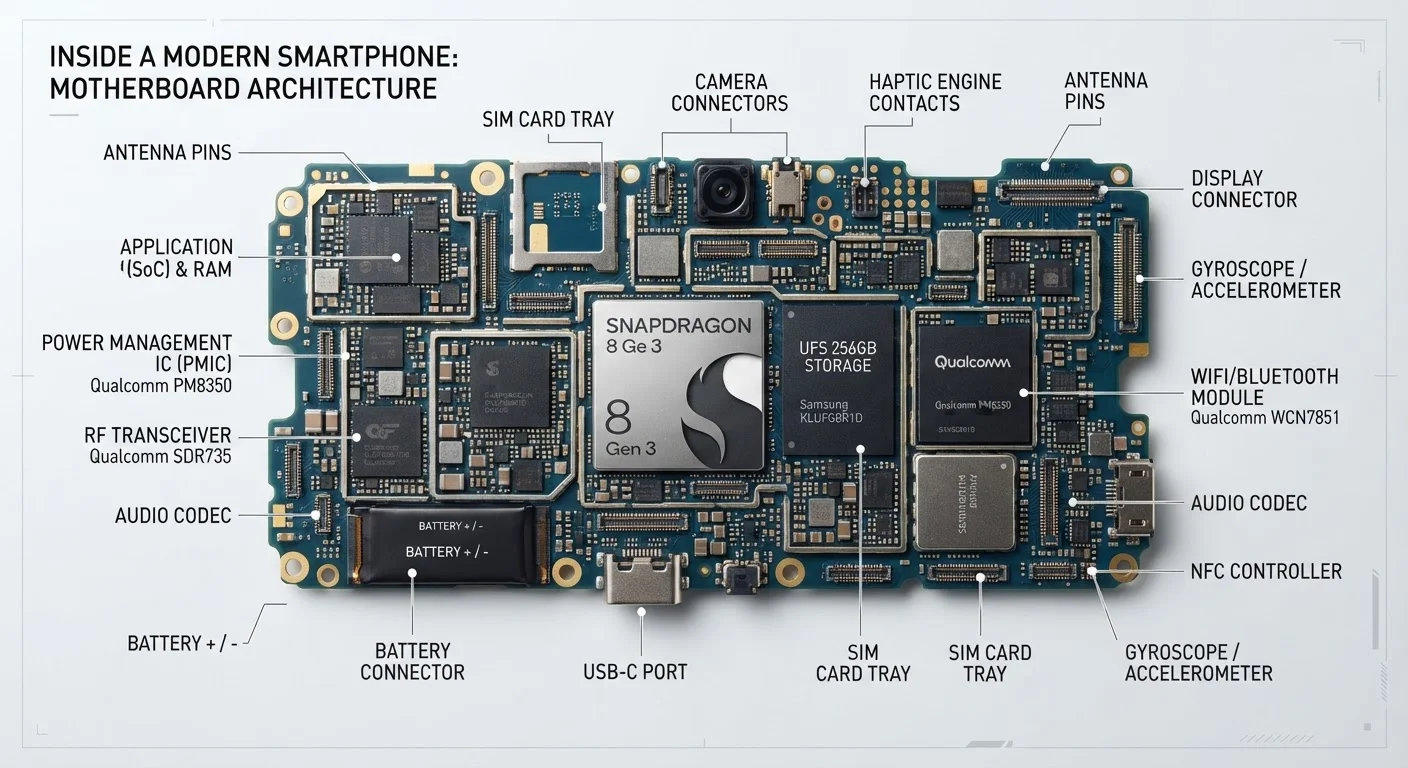
Internal storage is your phone's long-term filing cabinet. Photos, apps, music, downloaded files, and the operating system itself all live here. When you see "128GB" or "256GB" in a spec sheet, that's internal storage. It retains everything even when the phone is powered off. Think of it the way you'd think of the hard drive in a laptop — except in modern smartphones, it's a fast flash chip called UFS or eMMC.
RAM (Random Access Memory) is your phone's short-term workspace. When you open an app, the phone loads it from storage into RAM so the processor can work with it quickly. RAM is far faster than storage but holds far less data, and it clears completely every time the phone restarts. More RAM means the phone can keep more apps active in the background without having to reload them from scratch each time you switch. For most users, 6–8GB is a comfortable baseline; power users who multitask heavily benefit from more.
Cache isn't a single thing — it shows up in two distinct places. At the processor level, cache (L1, L2, L3) is an extremely small, extremely fast memory bank built directly into the chip. It stores the data the processor is about to use, cutting the time spent fetching it from RAM. At the app level, cache refers to temporary data apps store on internal storage to speed up future loads — a browser saving website images, for instance. These two uses of the word "cache" are hardware and software phenomena respectively, and they shouldn't be conflated.
For a deeper look at how these same concepts apply to desktop hardware, see Understanding CPU, RAM, and Storage or the Desktop Specs Glossary.
| Primary role of internal storage | Long-term retention of apps, media, and OS |
| Primary role of RAM | Short-term workspace for actively running apps |
| Does RAM persist after restart? | No — cleared on every reboot |
| Common storage capacities (smartphones) | 64GB, 128GB, 256GB, 512GB, 1TB |
| Common RAM capacities (smartphones) | 4GB, 6GB, 8GB, 12GB, 16GB |
| Processor cache sizes (L3, typical) | 4MB – 16MB |
Practical Implications for Everyday Use
Understanding the distinction helps you troubleshoot smarter. If your phone feels sluggish when switching between apps, that's usually a RAM issue — the device is constantly reloading apps it couldn't keep resident. Adding RAM isn't possible after purchase on most smartphones, so it's worth prioritizing at buying time.
If you're running low on space for new downloads or photos, that's a storage problem. Clearing app cache from the settings menu can recover a modest amount of storage, but don't expect dramatic results — system and app caches rarely account for more than a few hundred megabytes on a well-maintained phone. For genuine storage relief, cloud backups and offloading large media files make a bigger difference. Explore cloud and storage options if you regularly run tight on space.
Processor cache is essentially invisible to the end user. You won't find a setting for it, and you can't manage it manually. It matters when comparing chipsets — a processor with a larger, faster cache generally handles complex tasks more efficiently — but it's not a day-to-day concern for most consumers.
If you're evaluating two phones with similar processors, smartphone comparison breakdowns can help you weigh specs side by side. And if you've encountered the same confusion on a tablet or older Android device, this phone storage explainer covers troubleshooting scenarios in more detail.
Clearing App Cache Has Limits
Many users clear app cache expecting to free significant storage, only to find it refills quickly during normal use. App cache is generally not where bulk storage goes — large videos, offline maps, and app data are far bigger contributors. If storage is chronically tight, focus on media management and selective app data deletion rather than routine cache clearing.