

Key Takeaways
- Android offers more customisation and runs on hundreds of devices across all price points.
- iOS delivers tightly controlled software updates and multi-year security support from Apple.
- Privacy controls and data handling differ meaningfully between the two platforms.
- App ecosystems overlap heavily, but availability and update timing can vary.
- Switching platforms carries real costs — especially if you're invested in one ecosystem's services.
Option A
Android
The open, flexible, hardware-agnostic platform.
Best for: Users who want deep customisation, hardware variety, and fewer walled-garden restrictions.
Option B
iOS
The tightly integrated, privacy-forward ecosystem.
Best for: Users who prioritise consistency, long-term software support, and seamless Apple device integration.
If you want to personalise your phone's interface and behaviour deeply
Android
Android allows home screen customisation, sideloading apps, and default app changes that iOS doesn't permit to the same degree.
If you already use Apple devices like a Mac or iPad
iOS
Features like AirDrop, Handoff, and iMessage work seamlessly across Apple hardware, reducing friction for multi-device users.
If long-term software support is your top priority
iOS
Apple typically supports iPhones with OS updates for six or more years, which is longer than most Android manufacturers guarantee.
If you want more hardware choices at varied price points
Android
Android runs on devices from dozens of manufacturers, spanning entry-level to flagship tiers, giving buyers far more options.
If granular app-level privacy controls matter to you
iOS
iOS has consistently offered finer-grained privacy permissions — including App Tracking Transparency — though Android has narrowed the gap in recent versions.
Design Philosophy: Open Ecosystem vs. Closed Garden
The most fundamental difference between Android and iOS isn't a feature list — it's a philosophy. Android, developed by Google and released under an open-source licence, is designed to run on hardware from many manufacturers. That openness means more choice, but also more variability: the Android experience on a budget device can differ significantly from a flagship. iOS, by contrast, runs exclusively on Apple hardware. Apple controls both the chip and the software, which allows a level of optimisation that's difficult to replicate in a fragmented ecosystem.
This distinction shapes everything downstream. Android's open model lets manufacturers and users modify more of the system. iOS trades that flexibility for predictability — what you see on one iPhone is largely what you'll see on another. For consumers, the practical question is whether you value control or consistency more. Our deeper framework for choosing between ecosystems walks through how to weigh these priorities against your actual habits.
Customisation and Interface
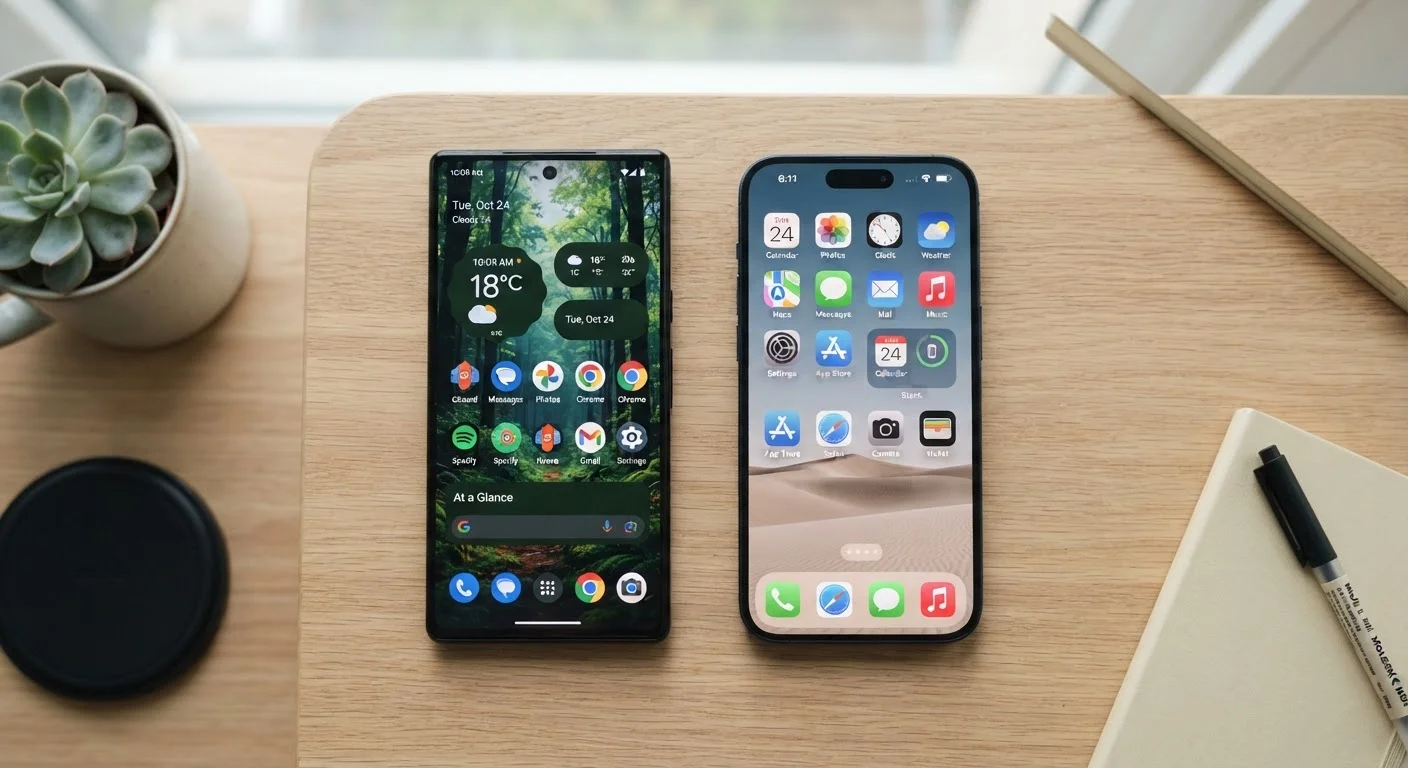
Android allows users to replace the default launcher, set third-party apps as defaults for nearly any function, and arrange the home screen with widgets and icon packs. Sideloading — installing apps from outside the official app store — is permitted, though it comes with security caveats. iOS has expanded its customisation options over recent versions, including home screen widgets and the ability to change some default apps, but the system remains more controlled by design.
Neither approach is inherently superior. Deeper customisation gives power users more tools but also more surface area for error. Apple's constraints mean less risk of misconfiguration and a more uniform experience across its user base. If you're comparing phones across brands and want to avoid over-indexing on surface-level specs, our guide on cross-brand comparisons explains which factors actually matter.
| Criterion | Android | iOS |
|---|---|---|
| Hardware availability | Hundreds of devices, many manufacturers | iPhone only, made by Apple |
| Home screen customisation | Extensive — launchers, widgets, icon packs | Moderate — widgets, limited layout control |
| Default app flexibility | Most defaults can be changed | Select defaults changeable (browser, email) |
| Software update delivery | Varies by manufacturer and carrier | Simultaneous rollout to all supported devices |
| Long-term OS support | 3–7 years depending on manufacturer | Typically 6+ years per device |
| App tracking controls | Permission auto-resets; Privacy Dashboard | App Tracking Transparency opt-in required |
| Sideloading apps | Permitted with a settings toggle | Restricted; not available by default |
| Cross-device ecosystem | Integrates with Google services and Wear OS | Integrates with Mac, iPad, Apple Watch |
Privacy, Security, and Software Updates
Both platforms have invested heavily in privacy features, but their approaches differ. Apple has made privacy a central marketing pillar, introducing App Tracking Transparency — which requires apps to ask permission before tracking users across other apps and websites — and on-device processing for sensitive tasks like facial recognition. Google has progressively tightened Android's privacy controls, including permission auto-resets for unused apps and a Privacy Dashboard that shows which apps accessed sensitive data and when.
Software update consistency is where the gap remains most tangible. Apple pushes iOS updates simultaneously to all supported devices. On Android, updates travel through Google to device manufacturers to carriers before reaching users — a chain that can introduce delays of weeks or months, or prevent updates entirely on older hardware. Some manufacturers are improving their update commitments, but the structural disparity still exists. For a broader look at how app ecosystems handle updates and availability, see our breakdown of Android and iOS app ecosystems.
~72%
Global smartphone OS market share
Android holds roughly 72% of global smartphone market share as of recent industry estimates, reflecting its wide hardware availability.
6+ years
Typical iOS device software support
Apple has supported several iPhone models with major OS updates for six or more years, a benchmark few Android manufacturers match consistently.
3–4 months
Average Android update lag vs. iOS
Independent analyses of Android update timelines have found that many users receive major OS updates months after Google's initial release, due to manufacturer and carrier processing.
Ecosystem Lock-In and Switching Costs
Choosing a platform is, to a meaningful degree, choosing an ecosystem. iOS integrates tightly with iCloud, iMessage, FaceTime, and other Apple services — as well as Apple Watch, Mac, and iPad. Android integrates with Google's suite: Gmail, Google Photos, Google Drive, and services like Google Pay. Both ecosystems work across platforms to varying degrees, but the deepest integrations only work within their own hardware families.
Switching platforms mid-stream carries real costs: migrating contacts, photos, purchased apps, and saved passwords requires deliberate effort. Users heavily invested in iMessage threads, Apple Watch health data, or Google's photo library face more friction when crossing over. The smartphone comparisons hub offers side-by-side device breakdowns that can help you evaluate specific hardware within each ecosystem before committing.
Ultimately, neither Android nor iOS is universally better. The right choice depends on the devices you already own, how much you value customisation versus simplicity, and how long you expect to use the phone. Understanding the philosophy behind each platform — not just its spec sheet — is the most reliable path to a decision you won't regret.