

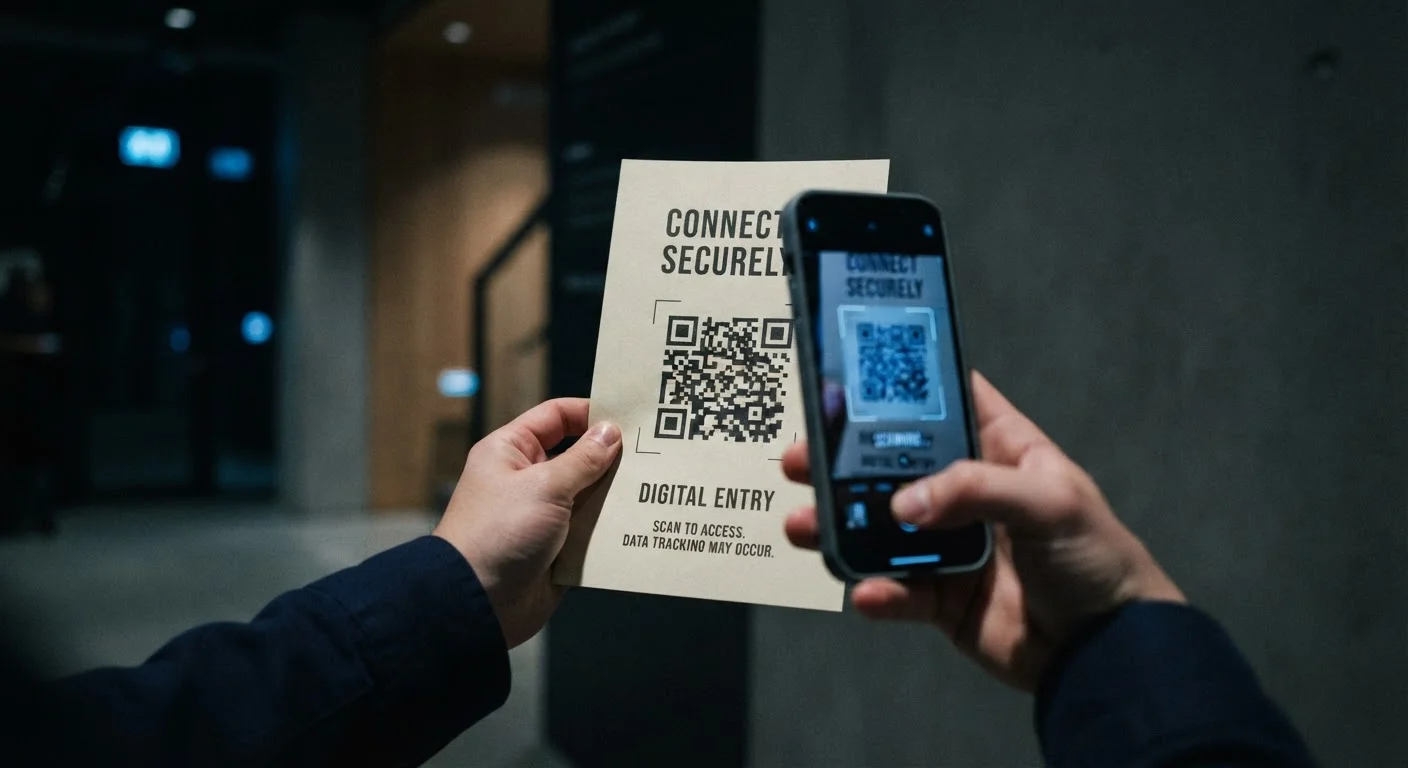
Key Takeaways
- QR codes hide their destination URLs, removing the most common visual clue people use to spot phishing.
- Quishing attacks often appear in physical locations — parking meters, restaurant tables, and posted flyers.
- Mobile browsers offer fewer security indicators than desktop browsers, increasing risk at scan time.
- Legitimate organizations rarely require you to scan a QR code to complete a sensitive action like a payment or login.
- Previewing a QR code's URL before opening it is the single most effective habit you can build.
QR Code Scam (Quishing)
A QR code scam — sometimes called "quishing" — is a type of fraud where criminals embed malicious links inside QR codes. When a victim scans the code with their phone, they're taken to a fake website designed to steal login credentials, payment details, or personal information. Unlike traditional phishing emails, the threat is hidden inside an image, making it nearly impossible to evaluate before scanning.
Because QR codes encode URLs as machine-readable visual patterns, no human-readable text is exposed before the scan — bypassing URL-inspection habits that security-aware users typically rely on.
Why QR Codes Are a Fundamentally Different Threat
Most people have learned — at least partly — to be cautious about links in emails. You hover over a URL, check the sender address, look for misspellings. These habits exist because email phishing exposes its mechanics: you can see the link, the sender domain, and the urgency language before you act. Understanding how scam emails are structured is a useful skill — but it doesn't transfer to QR codes.
A QR code is an opaque image. It contains a URL encoded as a visual pattern, and that URL is completely invisible until after your phone has already read it. By the time most users see the destination, they've already committed to the action of scanning. The mental checkpoint that catches email phishing — "does this link look right?" — arrives too late or gets skipped entirely.
This is the core asymmetry: email phishing fights against trained skepticism; QR code scams route around it.
QR Codes in Emails Are a Growing Tactic
Security researchers have noted a rise in phishing emails that use QR code images instead of hyperlinks. This isn't accidental — it's a deliberate attempt to evade automated email scanning tools. If an email you didn't expect asks you to scan a code rather than click a link, that's worth treating as a red flag. Different scam delivery channels carry different risks, and understanding each one helps you stay oriented.
How Quishing Attacks Are Deployed
QR code scams operate across two environments: digital and physical. In the digital space, attackers embed QR codes inside phishing emails — a tactic that's grown in part because email security filters are designed to scan text-based URLs, not images. A malicious link wrapped in a QR code often passes through corporate email gateways undetected.
In the physical world, the approach is more direct. Fraudulent QR code stickers are placed over legitimate ones on parking meters, bike-share stations, restaurant menus, and event signage. The physical context lends automatic trust: the code is printed on something real, in a real location. Victims have no reason to doubt it.
22%
Share of phishing attacks using QR codes
A 2023 report by cybersecurity firm Hoxhunt found that QR code phishing accounted for a notable and growing share of phishing attempts reaching end users.
3 in 4
Mobile users who don't check URLs before opening
Research from cybersecurity awareness organizations has consistently found that most users proceed immediately after scanning rather than reviewing the destination URL.
Common pretexts used in quishing attacks include fake parking payment portals, package delivery notifications, utility bill payment pages, and account verification requests. These scenarios are chosen deliberately — they create mild urgency without triggering alarm, and they match situations where people routinely scan codes without thinking twice. For a broader look at how these pressure tactics work, see the psychological techniques fraudsters rely on.
The Mobile Factor: Why Phones Amplify the Risk
QR codes are almost always scanned on mobile devices, and that matters for security. Desktop browsers typically show full URLs in the address bar, display HTTPS padlock indicators prominently, and may flag suspicious domains through integrated security tools. Mobile browsers compress the address bar, shorten displayed URLs, and generally offer fewer at-a-glance security signals.
Additionally, people scan QR codes on the go — at restaurants, transit stations, event venues — where attention is divided and there's social pressure to move quickly. That context is exactly the kind that causes even informed users to let their guard down.
Always Preview the URL Before You Tap
When your phone camera reads a QR code, it typically shows the destination URL as a small notification before you open it. Make a habit of reading that URL every time — even in familiar contexts like restaurants or transit stations. A misspelled domain name or an unexpected website is a clear signal to stop.
It's also worth noting that mobile operating systems handle app installation differently than desktops. A malicious QR code could direct a user to a page that mimics an app store or prompts a configuration profile download — actions that feel routine but can grant significant access to a device.
Practical Habits That Reduce Your Exposure
You don't need to avoid QR codes altogether — they serve genuine, useful purposes. The goal is to add a small but consistent moment of evaluation before you act.
- Preview the URL before tapping. Most phone cameras and QR apps show the destination link before opening it. Read it. If the domain doesn't match the organization you expect, stop.
- Be skeptical of QR codes in unexpected contexts. A QR code on a restaurant menu is routine. A QR code sticker on a parking meter that looks slightly different from others nearby, or a QR code inside an unsolicited email, warrants more caution.
- Type the URL directly when in doubt. If a QR code claims to go to your bank or a government agency, close it and navigate there manually through your browser or official app.
- Keep your phone updated. Browser and OS updates patch vulnerabilities that malicious pages may try to exploit.
QR code fraud fits within the broader family of phishing attacks — it just uses a different delivery mechanism. Understanding how phishing works at its core gives you a mental framework that applies across email, text, and now physical codes. The underlying manipulation — creating a plausible-looking path to a harmful destination — is the same. The surface has just changed.