

Key Takeaways
- Phishing relies on impersonation and urgency, not sophisticated hacking tools.
- Even technically savvy people can be deceived because phishing targets psychology, not knowledge gaps.
- Fake login pages are designed to look identical to real ones — always check the URL.
- Hovering over links before clicking reveals the true destination address.
- Phishing is the entry point for many larger attacks, including account takeovers and ransomware.
Phishing Attack
A phishing attack is a deceptive message — usually an email — crafted to trick you into handing over sensitive information like passwords, credit card numbers, or Social Security numbers. Attackers impersonate trusted sources such as banks, government agencies, or popular online services. The goal is to get you to click a malicious link, open a dangerous attachment, or enter your credentials on a fake website.
Phishing exploits social engineering rather than software vulnerabilities — it bypasses technical defenses by targeting human judgment and trust.
How a Phishing Attack Actually Works
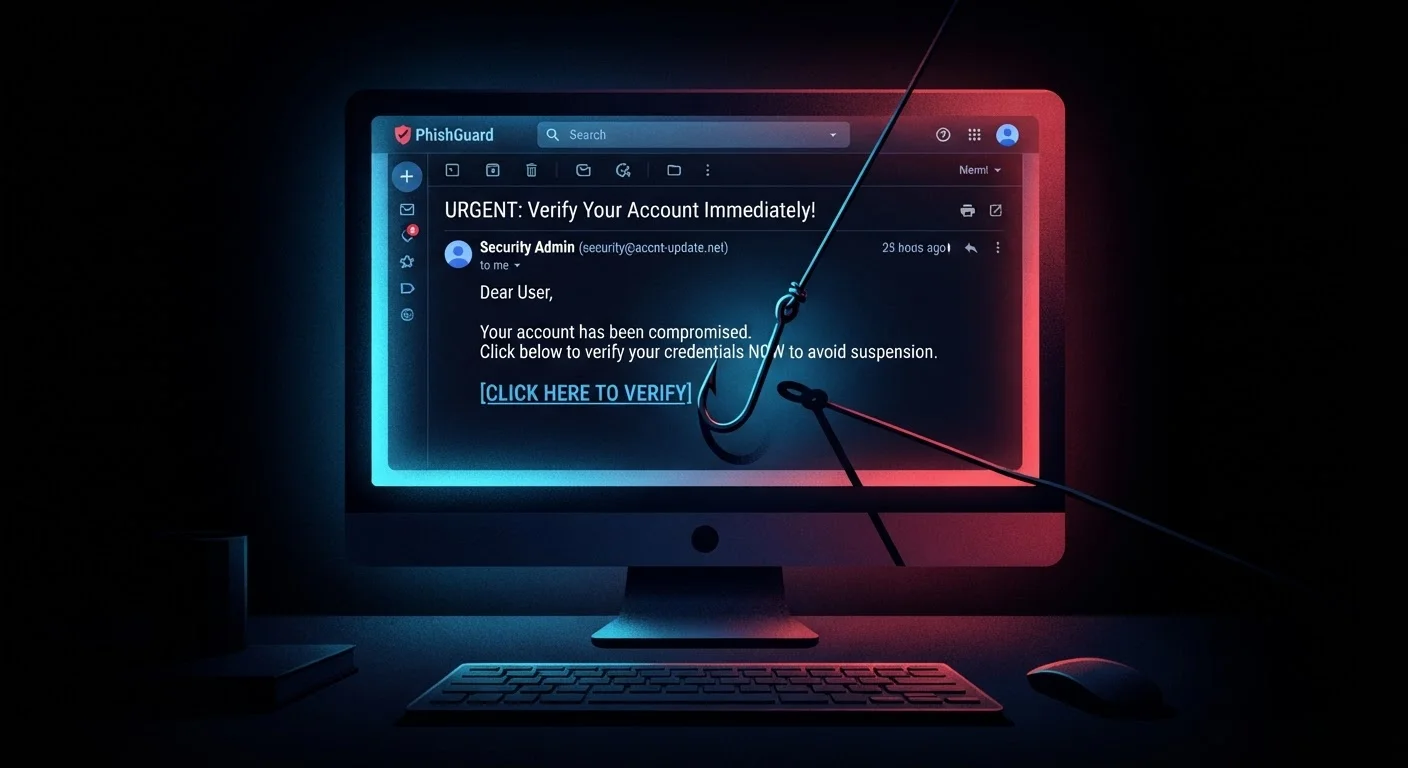
Phishing follows a predictable playbook. An attacker crafts a message that appears to come from a source you trust — your bank, your employer, a streaming service, or even a government agency. The message creates a sense of urgency: your account has been compromised, a payment failed, or action is required within 24 hours.
Clicking the link takes you to a website that mirrors the legitimate one almost perfectly. You enter your username and password. The fake site records your credentials, sometimes redirects you to the real site so you never notice anything is wrong, and the attacker now owns your account.
Attachments are a variation of this method. Opening a malicious file can install malware that logs keystrokes, captures screenshots, or creates a backdoor for further attacks. Understanding how attackers steal passwords reveals why phishing is so often the first step in a broader compromise.
Phishing Is a Gateway, Not Just a Nuisance
Stolen credentials from phishing often feed into larger attacks. Once an attacker has your email login, they can access password reset flows for other accounts, request fraudulent transfers, or install ransomware on a corporate network. The damage rarely stops at the initial compromise.
The Psychology That Makes Phishing Effective
Technical defenses can filter spam and flag suspicious links, but they cannot override a moment of human panic. Phishing works because it is engineered to short-circuit careful thinking.
Urgency and fear are the most powerful levers. A message claiming your account will be closed unless you verify details immediately pushes you to act before you think. Authority is another key mechanism — messages that appear to come from the IRS, a CEO, or a well-known bank carry implicit credibility that lowers suspicion.
Familiarity also plays a role. Attackers harvest publicly available information from social media and data breaches to personalize messages. An email that mentions your name, your employer, or a recent purchase feels less like a scam. Our guide to the psychological tactics scammers use goes deeper on these manipulation techniques.
“Phishing is the most dangerous threat facing organizations today precisely because it targets the human element — and humans can't be patched.”
— Security awareness researchers, Cybersecurity industry consensus reflected across multiple published threat reports
Red Flags You Can Learn to Spot
Recognizing phishing requires slowing down and looking critically at a few key signals.
- Sender address mismatch: The display name may say "Chase Bank" but the actual email domain reads something like
support@chase-secure-alert.net. Always expand the sender details. - Generic greetings: Legitimate services typically address you by name. "Dear Customer" or "Dear User" is a common phishing hallmark.
- Urgency and threats: Pressure to act immediately — especially with negative consequences for inaction — is a manipulation tactic, not standard business communication.
- Hover before you click: On a desktop, hovering over a link previews the destination URL in the browser status bar. If it looks unfamiliar or mismatched, do not click.
- Unusual attachments: Unexpected files — especially
.exe,.zip, or macro-enabled Office documents — should be treated with suspicion.
Pause Before You Click
When a message creates urgency or asks for sensitive information, treat that pressure itself as a warning sign. Take a moment to navigate directly to the organization's official website by typing the URL into your browser rather than clicking any link in the message. This single habit blocks a large proportion of phishing attempts.
Not every phishing attempt looks amateurish. Sophisticated campaigns — often called spear phishing — are highly targeted and can fool even careful readers. Our article on spear phishing vs. bulk phishing explains how personalized attacks differ from mass campaigns.
3.4 billion
Phishing emails sent per day globally
Estimates from cybersecurity researchers consistently place daily phishing email volume in the billions, reflecting how low-cost and scalable mass phishing campaigns are for attackers.
36%
Of data breaches involve phishing
According to Verizon's Data Breach Investigations Report, phishing remains one of the top action types present in confirmed data breach incidents year after year.