

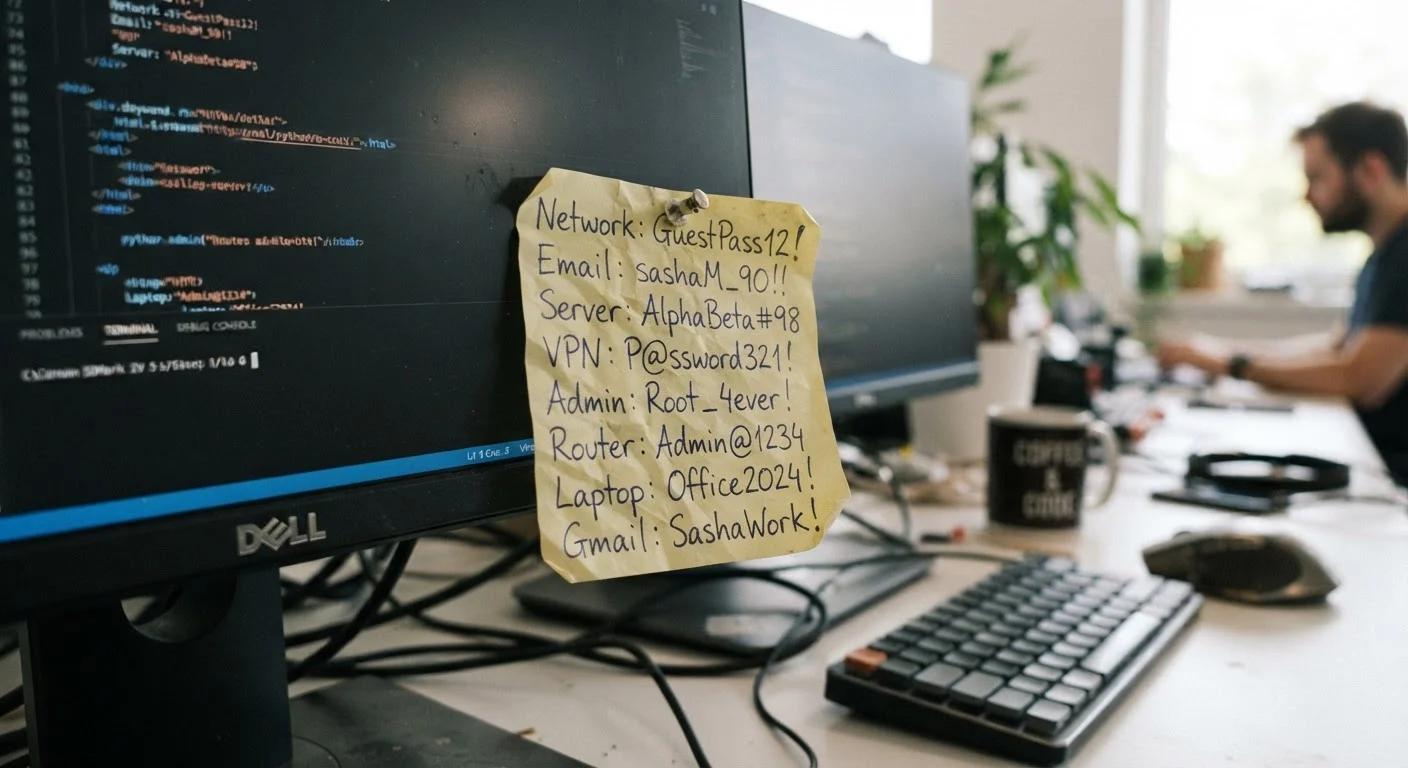
Key Takeaways
- Human memory naturally gravitates toward patterns, making memorized passwords predictable and easier to crack.
- Password reuse is the single most dangerous habit most people don't realize they have.
- Small, predictable modifications to existing passwords provide little real security improvement.
- A password manager removes the cognitive burden of memorization and enables truly unique credentials.
- Understanding why these mistakes happen is the first step toward fixing them for good.
Why Memory and Passwords Are a Poor Match
The average person manages dozens of online accounts. Our brains are remarkable at recognizing patterns and recalling meaningful information — but that same strength is precisely what makes memory a liability when it comes to passwords. Secure passwords need to be random, long, and unique. Human memory, by contrast, favors familiarity, repetition, and meaning. Those two sets of requirements are fundamentally at odds.
When you rely on memory alone, you're not just risking a forgotten password. You're almost certainly creating credentials that follow predictable patterns that attackers already know to look for. Understanding where memory-based password habits go wrong — and why — is the first move toward real account security. For a deeper look at what actually makes a credential strong, see our guide to the science behind secure credentials.
Using personal information as the foundation of a password.
Why it happens: Names, birthdays, and pet names feel uniquely personal, so people assume they're hard to guess. In reality, this information is often publicly visible on social media or obtainable through data breaches.
Reusing the same password across multiple accounts.
Why it happens: Remembering one strong password feels more manageable than remembering twenty. The problem is that when any one site is breached, every account sharing that password becomes instantly vulnerable — a technique attackers call credential stuffing.
Making small, predictable modifications when forced to update a password.
Why it happens: When a site requires a new password, changing "Password1" to "Password2" feels like a reasonable update. It isn't. Attackers testing stolen credentials routinely try common variations and incremental changes.
Creating passwords that follow recognizable keyboard patterns.
Why it happens: Sequences like "qwerty," "123456," or "zxcvbn" are easy to type quickly and feel less forgettable. But these patterns appear near the top of every list attackers use in automated brute-force attempts.
Believing that adding a symbol or number to a weak password makes it secure.
Why it happens: Many password policies require a special character, so appending "!" to the end of a simple word feels like compliance with security requirements. In practice, this adds very little entropy when the base word is short or common.
Breaking the Memory Habit: What to Do Instead
The good news is that none of these mistakes require willpower to fix — they require a better system. A password manager generates, stores, and autofills long, random, unique passwords for every account you own. You remember one strong master passphrase; the tool handles the rest. If you're weighing the trade-offs, our balanced look at password managers can help you decide.
Browser Password Storage Has Limitations
Saving passwords in your browser is convenient, but it comes with security trade-offs that a dedicated manager is designed to address. If your device is compromised or you share it with others, stored browser passwords can be exposed. See how the two options compare in our article on browser storage vs. dedicated password managers before deciding which approach fits your situation.
If a password manager feels like a big step, start with a passphrase — a string of four or more unrelated random words. Passphrases are far easier to remember than a jumble of characters, yet can be significantly harder to crack. Explore how the two approaches compare in our article on passphrases vs. passwords. For a practical system to build unique credentials without losing your mind, see creating unique passwords for every account.
81%
Of breaches involve weak or stolen passwords
According to Verizon's Data Breach Investigations Report, the vast majority of hacking-related breaches exploit compromised or easily guessed credentials.
~100
Average online accounts per person
Research from NordPass has consistently found that the typical internet user maintains close to 100 password-protected accounts — far more than memory can reliably handle.
Once your credentials are stronger, build habits that keep them that way — from periodic audits to avoiding shared logins. Our piece on proven password habits lays out a straightforward maintenance routine anyone can follow.