

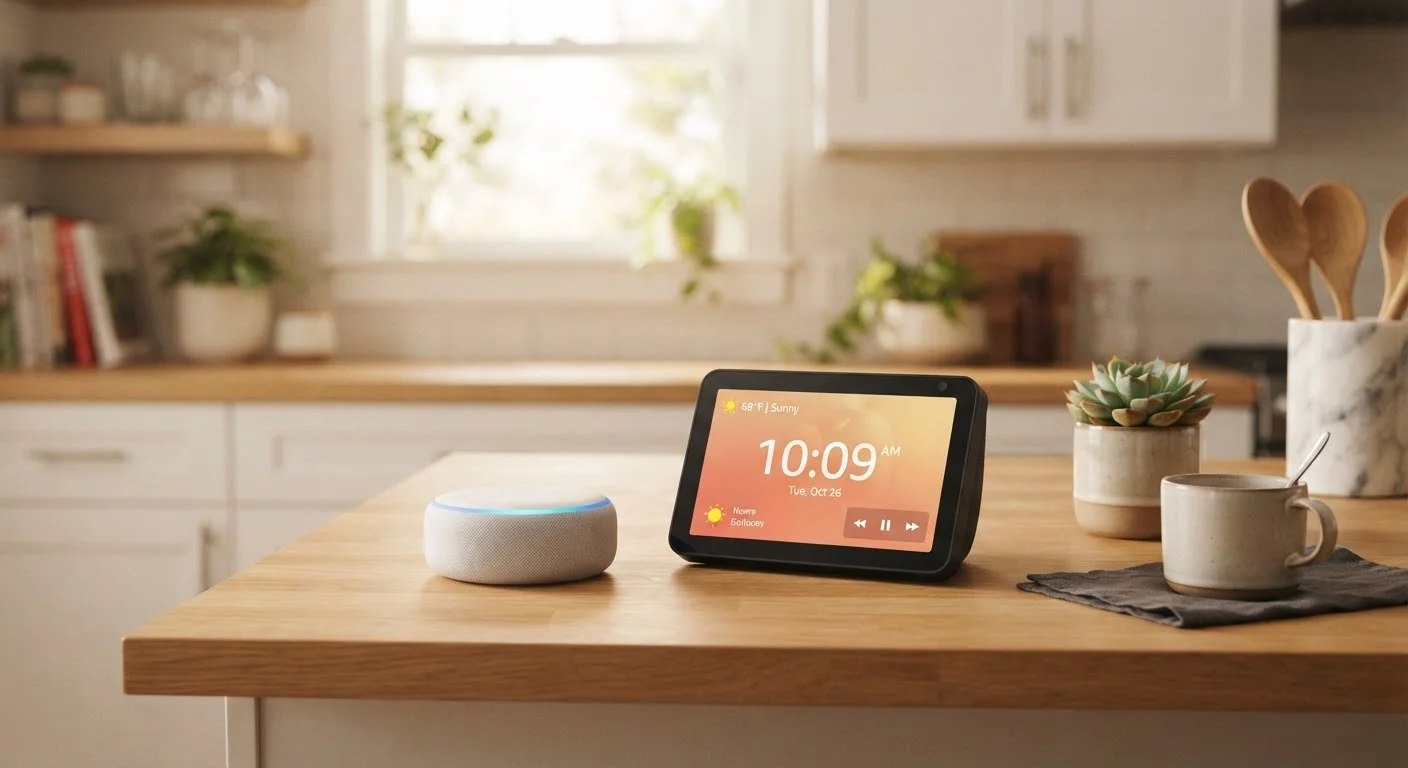
Key Takeaways
- Smart speakers prioritize audio quality and voice control; smart displays add a touchscreen for visual interaction.
- Smart displays can show camera feeds, video calls, and step-by-step recipes - smart speakers cannot.
- Both device types connect to the same voice assistants and smart home ecosystems.
- Smart speakers generally cost less and take up less physical space.
- The right choice depends on where you place the device and how your household uses it daily.
Option A
Smart Speaker
The audio-first, always-listening voice hub.
Best for: Listeners and multitaskers who want hands-free voice control without a screen taking up visual space.
Option B
Smart Display
The visual command center for your connected home.
Best for: Households that want video calls, visual recipes, security camera feeds, and richer media at a glance.
If you want a bedroom or office device for music, timers, and quick voice commands
Smart Speaker
A smart speaker handles audio-centric tasks efficiently without the distraction of a screen in a rest or focus space.
If you want a kitchen hub for recipes, video calls, and home monitoring
Smart Display
A smart display lets you follow along visually - whether it's a cooking tutorial or a security camera feed - without touching your phone.
If budget is your primary concern and voice control is the main goal
Smart Speaker
Smart speakers deliver full voice assistant capability at a lower price point, making them a practical entry into the smart home.
If you have a shared household with varied needs across ages
Smart Display
Touchscreen interaction makes smart displays more accessible to users who are less comfortable with voice-only commands.
What Each Device Actually Does
Both smart speakers and smart displays are voice-assistant-powered devices designed to sit in your home and respond to spoken commands. The key distinction is the interface. Smart speakers are audio-only devices - they listen, respond, and play back. Smart displays add a screen, enabling visual responses, touch interaction, and media playback you can actually watch.
Smart speakers excel at streaming music, setting reminders, answering questions, and controlling connected home devices through voice alone. They're intentionally unobtrusive. Smart displays do all of that, plus show you things: a weather forecast with a map, a video recipe walkthrough, a live view from a doorbell camera, or a video call with a family member.
For a broader look at how these devices fit into connected home setups, see our guide to smart home device categories.
| Criterion | Smart Speaker | Smart Display |
|---|---|---|
| Screen | None | Touchscreen included |
| Primary interaction | Voice only | Voice and touch |
| Video calls | Audio only | Full video and audio |
| Camera feed viewing | Not supported | Supported on screen |
| Typical footprint | Compact, cylindrical | Larger, requires surface space |
| General price range | Lower entry cost | Higher due to display hardware |
| Bedroom suitability | High | Lower (screen glow) |
| Kitchen suitability | Moderate | High (visual recipes, timers) |
Where Placement Changes Everything
The room you're putting a device in should heavily influence which type you choose. In a bedroom, a glowing screen at 2 a.m. is a liability; a smart speaker handles sleep timers and alarms without visual disruption. In a kitchen, a smart display earns its place - hands covered in flour, you can glance at step three of a recipe rather than asking the assistant to repeat it again.
Living rooms present a genuine choice. If your TV already handles video and streaming, a smart speaker fills the gap for music and voice commands without redundancy. If you want a secondary screen for quick video calls or a home dashboard, a smart display can serve that role - though it won't replace a full TV experience. For a direct comparison on that question, see streaming device vs. smart TV.
~35%
U.S. adults with a smart speaker at home
Pew Research Center surveys have consistently found smart speakers present in roughly a third of U.S. households.
2x
Interaction modes on smart displays vs. speakers
Smart displays support both voice and touch input, doubling the ways users can interact compared to audio-only devices.
Ecosystem Fit and Privacy Considerations
Both device types use the same underlying voice assistants and connect to the same smart home platforms, so your existing ecosystem - whether built around a particular assistant or smart home standard - works with either. Understanding how those ecosystems interconnect is worth reviewing in our article on how smart home devices talk to each other.
Privacy considerations shift meaningfully with smart displays. A screen that can show camera feeds and conduct video calls introduces more data surface area than an audio-only device. Both types have always-on microphones, but smart displays may also have cameras, which warrants thought about placement - especially in private spaces. Households sharing these devices face additional layers of personalisation and access management, which our piece on voice assistants in a shared household covers in detail.
Camera Placement Is Worth Thinking Through
Smart displays with built-in cameras are designed for video calls and are not always-recording devices - they activate only when a call is initiated or a feature specifically requires it. That said, placing a camera-equipped device in a bedroom or bathroom is generally discouraged. Most devices include a physical camera shutter or microphone-mute button for added peace of mind.