

| Most common entry-point category | Smart plugs |
| Protocols in wide use | Wi-Fi, Zigbee, Z-Wave, Bluetooth, Matter |
| Hub requirement | Required for Zigbee/Z-Wave devices; optional for Wi-Fi devices |
| Video doorbell storage | Most require cloud subscription for video history |
| Smart lock power source | Battery-powered in most consumer models |
| Matter standard | Cross-brand compatibility protocol launched 2022 (Connectivity Standards Alliance) |
Why Categories Matter Before You Buy
The phrase "smart home device" covers an enormous range of hardware - from a $15 plug that schedules your coffee maker to a whole-home security system with professional monitoring. Grouping devices by category clarifies what job each one actually performs, which prevents duplicate purchases and helps you plan a setup that addresses real needs rather than accumulating gadgets.
Before diving into specific categories, it helps to understand that most smart home devices communicate using one or more wireless protocols - Wi-Fi, Zigbee, Z-Wave, Bluetooth, or the newer Matter standard. Protocol compatibility determines whether devices can work together without extra hardware. See how smart home ecosystems work for a deeper look at that layer.
| Most common entry-point category | Smart plugs |
| Protocols in wide use | Wi-Fi, Zigbee, Z-Wave, Bluetooth, Matter |
| Hub requirement | Required for Zigbee/Z-Wave devices; optional for Wi-Fi devices |
| Video doorbell storage | Most require cloud subscription for video history |
| Smart lock power source | Battery-powered in most consumer models |
| Matter standard | Cross-brand compatibility protocol launched 2022 (Connectivity Standards Alliance) |
The Main Smart Home Device Categories
Here is a concise breakdown of the primary categories you'll encounter when researching smart home hardware:
Hubs and Controllers
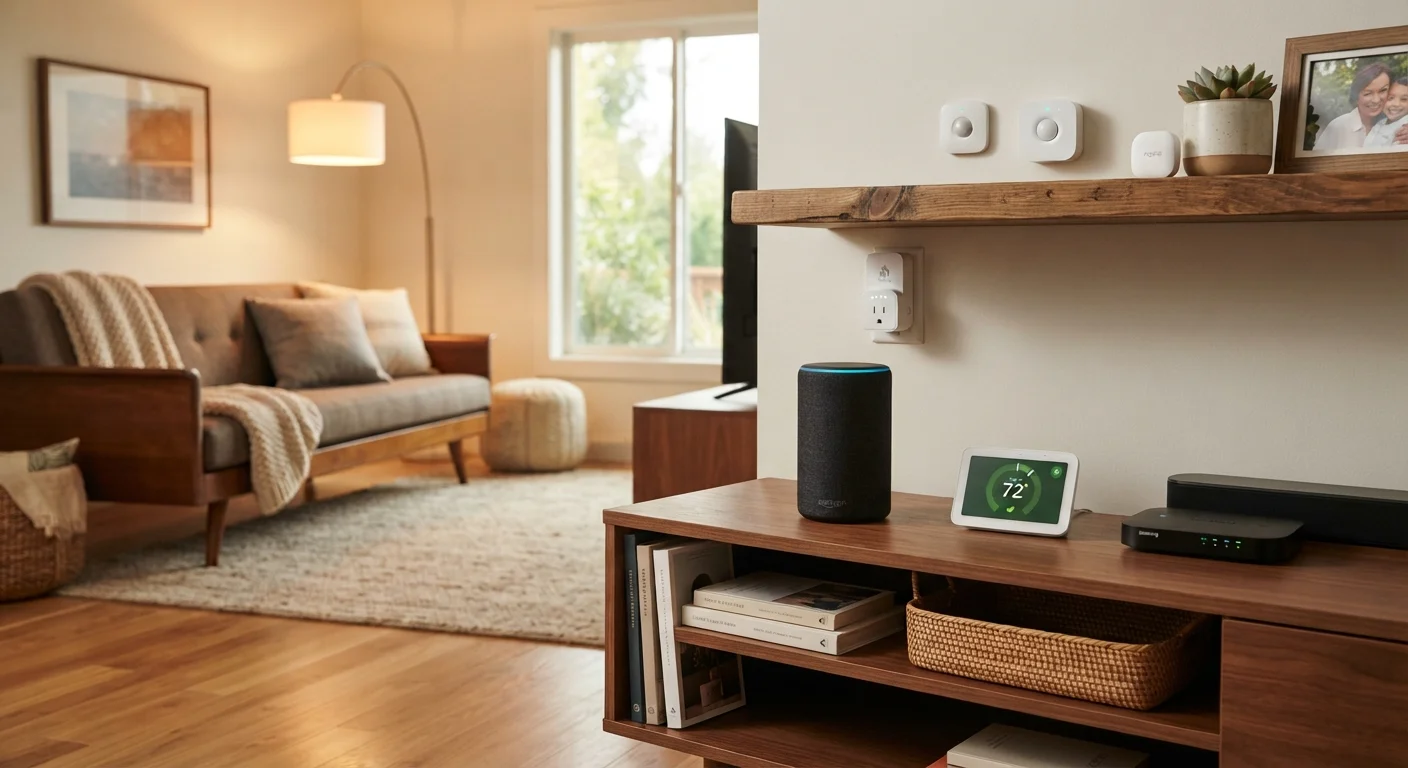
A hub is the coordination layer - a dedicated device or software platform that connects devices from different brands or protocols and allows them to operate as a unified system. Without a hub, many Zigbee and Z-Wave sensors and switches cannot communicate with your phone or voice assistant at all. Some routers now include hub functionality, reducing the hardware count.
Smart Speakers and Displays
These serve as the primary voice-control interface for most households. A smart speaker responds to spoken commands and can control other devices, answer questions, and play audio. Smart displays add a screen, enabling video calls, recipe walkthroughs, and visual device dashboards. Both act as a local voice-access point rather than a central hub.
Smart Plugs and Power Strips
Plugs sit between an outlet and any ordinary appliance, adding remote on/off switching, scheduling, and often energy monitoring. They are one of the lowest-effort entry points into a smart home because they require no wiring and work with existing fixtures. Power strips extend the same concept across multiple outlets.
Smart Lighting
Smart bulbs, switches, and dimmers allow lighting to be automated by time, occupancy, or scene. Bulbs replace the bulb itself and require no electrical work; smart switches replace the wall switch and make any bulb smart. The tradeoff: if someone turns off a smart bulb via its physical switch, the bulb loses power and can no longer respond to app or voice commands.
Thermostats and Climate Devices
Smart thermostats replace standard programmable thermostats and add remote control, learning behavior, occupancy awareness, and integration with other home systems. Some models adjust temperature based on whether anyone is home, potentially reducing energy use. Smart vents and window AC controllers extend climate management to individual rooms.
Security Cameras and Video Doorbells
These provide live and recorded video monitoring of entry points and interior spaces. Video doorbells specifically replace or supplement a standard doorbell and allow two-way audio with visitors from a smartphone. Most require a cloud subscription for extended video history, though some support local storage.
Locks and Access Control
Smart locks replace or augment a deadbolt to enable keypad entry, temporary access codes, remote locking and unlocking, and access logs. They do not eliminate the need for physical key backup in most cases, and battery maintenance is an ongoing responsibility.
Sensors
Sensors detect conditions and trigger other devices or send alerts. Common types include motion sensors, door and window contact sensors, water leak detectors, smoke and CO detectors, and temperature or humidity sensors. Sensors are the invisible backbone of most smart home automation rules.
Hub
A central device or software platform that connects smart home devices using different wireless protocols and allows them to work together as a unified system.
Zigbee
A low-power wireless communication protocol commonly used by smart home sensors, bulbs, and locks. Devices using Zigbee typically require a compatible hub to connect to the internet.
Matter
An open-source smart home connectivity standard developed to improve interoperability between devices from different manufacturers. Launched in 2022 by the Connectivity Standards Alliance.
Automation Rule
A programmed instruction that triggers one device based on the state or output of another - for example, turning on lights when a motion sensor detects movement.
Local Storage
Saving recorded video or data directly to a device on your network (such as an SD card or NAS drive) rather than uploading it to a cloud server.
For consumers starting from scratch, a practical first smart home guide outlines a sensible prioritization strategy across these categories.
Specialized and Emerging Categories
Beyond the core eight categories, several specialized device types are becoming mainstream:
- Smart appliances - refrigerators, washers, and ovens with app connectivity for status alerts and remote control of basic functions.
- Smart irrigation controllers - replace standard sprinkler timers with weather-aware scheduling that skips watering when rain is expected.
- Robotic vacuums - autonomous floor-cleaning devices that can be scheduled and, on advanced models, mapped to specific zones.
- Energy monitors - clip-on devices or smart circuit-breaker accessories that track whole-home electricity consumption at the circuit level.
Not All Devices Need a Hub
Many Wi-Fi-based smart home devices connect directly to your home router and are managed through the manufacturer's app - no separate hub required. Zigbee and Z-Wave devices, however, need a compatible hub to function. If you're mixing device brands and protocols, a hub typically offers the most reliable integration. Common smart home myths covers the 'all devices work together' misconception in detail.
Understanding which categories overlap with home entertainment is also worth considering - home entertainment technology covers streaming devices and smart TVs that increasingly integrate with broader smart home platforms.
Smart home technology continues to expand, but the underlying categories remain relatively stable. Knowing the role each one plays makes it easier to evaluate new products on their actual merits rather than their marketing language. For a realistic look at what this technology can and cannot do day-to-day, the full picture on smart home living offers an honest end-to-end assessment.