

| 2.4 GHz max typical throughput | ~600 Mbps (Wi-Fi 5/6) (IEEE 802.11 specification summaries) |
| 5 GHz max typical throughput | ~3.5 Gbps (Wi-Fi 6) (IEEE 802.11ax specification) |
| 6 GHz band availability | Wi-Fi 6E and Wi-Fi 7 routers only (FCC 6 GHz spectrum ruling, 2020) |
| 2.4 GHz effective indoor range | Up to ~150 ft through walls (General industry estimates) |
| 5 GHz effective indoor range | Up to ~75 ft through walls (General industry estimates) |
| 6 GHz effective indoor range | Up to ~30 ft, best in open areas (General industry estimates) |
What Each Band Actually Does
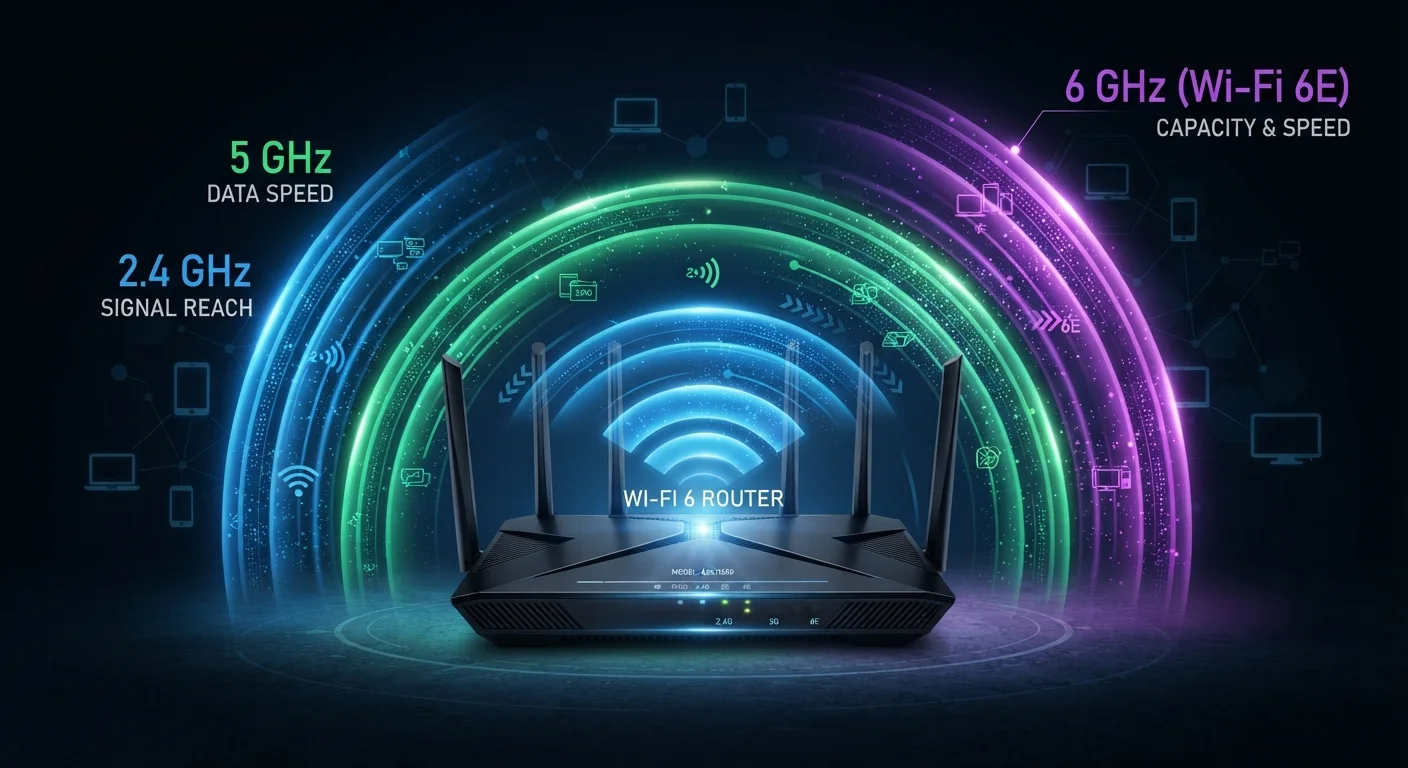
Your home router likely broadcasts on two or three distinct radio frequencies - commonly called bands. Each band is a slice of the radio spectrum, and each one makes a different trade-off between speed, range, and the ability to cut through interference. Choosing the right one for each device isn't about chasing numbers; it's about matching the physics of each band to your actual use case.
| 2.4 GHz max typical throughput | ~600 Mbps (Wi-Fi 5/6) (IEEE 802.11 specification summaries) |
| 5 GHz max typical throughput | ~3.5 Gbps (Wi-Fi 6) (IEEE 802.11ax specification) |
| 6 GHz band availability | Wi-Fi 6E and Wi-Fi 7 routers only (FCC 6 GHz spectrum ruling, 2020) |
| 2.4 GHz effective indoor range | Up to ~150 ft through walls (General industry estimates) |
| 5 GHz effective indoor range | Up to ~75 ft through walls (General industry estimates) |
| 6 GHz effective indoor range | Up to ~30 ft, best in open areas (General industry estimates) |
For a broader look at how these bands tie into specific Wi-Fi generations, see our quick-reference guide to Wi-Fi standards.
2.4 GHz: Range Over Speed
The 2.4 GHz band is the oldest and most widely supported Wi-Fi frequency. Its longer wavelengths penetrate walls, floors, and furniture more effectively than higher frequencies, making it the default choice for devices far from the router or separated by multiple walls.
The trade-offs are significant, however. Maximum throughput is considerably lower than 5 GHz or 6 GHz, and because 2.4 GHz is shared with microwave ovens, baby monitors, Bluetooth devices, and neighboring Wi-Fi networks, congestion is a persistent problem - especially in apartments or dense neighborhoods.
Best suited for: Smart home sensors, older laptops, devices at the edges of your home's coverage area, and anything that prioritizes a stable connection over raw speed.
Frequency band
A specific range of radio frequencies reserved for a particular type of wireless communication. In Wi-Fi, the band determines range, maximum speed, and susceptibility to interference.
Band steering
A router feature that automatically guides compatible client devices to the most appropriate frequency band based on signal strength and network conditions.
Throughput
The actual amount of data transferred over a network connection per unit of time, typically measured in megabits per second (Mbps) or gigabits per second (Gbps). Real-world throughput is almost always lower than a standard's theoretical maximum.
Congestion
Degraded Wi-Fi performance caused by too many devices or networks competing for the same frequency channels. The 2.4 GHz band is particularly prone to congestion in densely populated areas.
Latency
The time delay between sending a request and receiving a response over a network. Lower latency is critical for real-time applications like video calls and online gaming.
5 GHz: The Everyday Workhorse
The 5 GHz band offers substantially higher throughput and far less interference than 2.4 GHz, thanks to more available channels and separation from the crowded sub-3 GHz spectrum. Most modern routers, smartphones, laptops, and streaming devices support it natively.
The physics catch: higher frequency means shorter range and less ability to pass through dense building materials. You'll notice a meaningful signal drop-off at greater distances or through thick concrete walls.
Best suited for: 4K streaming, video calls, gaming consoles, and any device within a moderate distance of your router. For most households, 5 GHz handles the bulk of daily traffic well. The per-room band breakdown explores specific placement scenarios in more detail.
6 GHz: New Spectrum, Fewer Compromises
The 6 GHz band, introduced with Wi-Fi 6E and also used by Wi-Fi 7, opens up a large block of previously unlicensed spectrum. Because it's new, very few legacy devices compete for it - meaning far less congestion and more available channels compared to both older bands.
In practice, 6 GHz delivers the highest speeds and lowest latency of the three bands, but only at relatively close range. Walls and distance attenuate the signal more aggressively than 5 GHz. It also requires a Wi-Fi 6E or Wi-Fi 7 router and a compatible device.
1,200 MHz
New spectrum opened by 6 GHz band
The FCC's 2020 ruling unlocked 1,200 MHz of unlicensed spectrum in the 6 GHz range, more than doubling the usable Wi-Fi spectrum available in the US.
3×
More non-overlapping channels vs. 5 GHz
The 6 GHz band supports significantly more non-overlapping 80 MHz and 160 MHz channels than 5 GHz, reducing congestion in high-density environments.
Best suited for: High-bandwidth activities in the same room or adjacent to the router - VR headsets, multi-gigabit file transfers, and dense multi-device environments where 5 GHz congestion becomes a bottleneck. If you're evaluating whether a 6 GHz-capable router is worth the investment, the Wi-Fi 6 and Wi-Fi 7 upgrade trade-offs article lays out the honest case.
Note that if raw speed and consistency are the goal for a stationary device, a wired connection still outperforms any band. See when Ethernet still wins for context.
Connecting Devices Intelligently
Most modern routers handle band assignment automatically through a feature called band steering, which nudges compatible devices toward the best available band. This works reasonably well for typical households, but manual assignment can help in specific situations - for example, pinning a smart thermostat to 2.4 GHz to free up 5 GHz capacity for a gaming console.
A few practical rules of thumb:
- Devices that rarely move and need reliability over speed → 2.4 GHz
- Laptops, phones, and streaming devices in mid-range locations → 5 GHz
- High-performance devices physically close to the router → 6 GHz (if supported)
Understanding band differences is also foundational to understanding the Wi-Fi standards built on top of them. The plain-language guide to Wi-Fi standards connects band capabilities to real-world performance expectations.
Tri-Band Routers Don't Guarantee Tri-Band Devices
A tri-band router broadcasts on 2.4 GHz, 5 GHz, and 6 GHz simultaneously, but a device can only connect to a band it physically supports. Older smartphones and laptops without Wi-Fi 6E radios cannot use the 6 GHz band regardless of what the router offers. Check your device specifications before assuming it benefits from newer spectrum.