

Key Takeaways
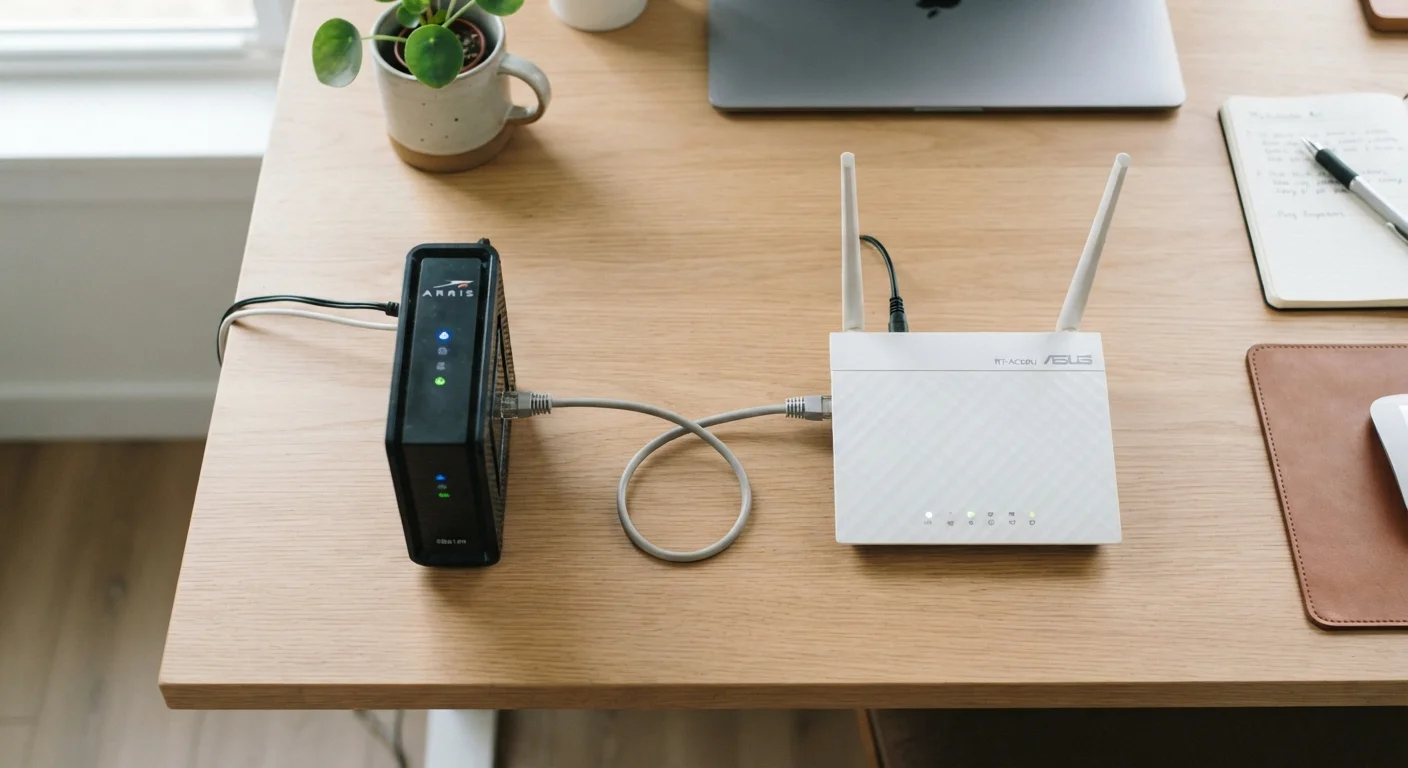
- A modem connects your home to your internet service provider (ISP); a router connects your devices to each other and the modem.
- Without a modem, you have no internet signal; without a router, only one device can be online at a time.
- Gateway devices combine both functions but may offer fewer customization options than separate units.
- You can often save money long-term by purchasing your own modem instead of renting one from your ISP.
- A router adds local network management, firewall protection, and Wi-Fi - capabilities a modem alone cannot provide.
Option A
Modem
The gateway between your home and the internet.
Best for: Translating your ISP's signal into a format your home devices can use - it's the mandatory first link in every wired internet connection.
Option B
Router
The traffic director that keeps your home network running smoothly.
Best for: Distributing a single internet connection across multiple devices - wired or wirelessly - while managing security and local traffic.
If you want to understand what's already plugged into your wall
Modem
Start by identifying your modem - it's the device physically connected to your ISP's coaxial or phone line. Everything else in your home network flows from there.
If you have multiple devices or need Wi-Fi throughout your home
Router
A router is essential for connecting smartphones, laptops, smart TVs, and other devices simultaneously. Without one, your network can only serve a single wired device at a time.
If you want to simplify your setup with fewer physical devices
Gateway (Modem + Router Combo)
A gateway device handles both modem and router duties in one box, reducing cable clutter. It's a practical option for renters or smaller homes, though you trade some control and flexibility.
If you're looking to reduce recurring ISP rental fees
Modem
Many ISPs charge a monthly equipment rental fee for their provided modem. Purchasing a compatible modem outright can eliminate that recurring cost over time.
What Each Device Actually Does
The confusion between modems and routers is understandable - many households receive a single box from their ISP that does both jobs. But understanding the distinct role of each device helps you troubleshoot problems, make smarter equipment decisions, and build a more reliable network.
A modem (short for modulator-demodulator) is the device that physically connects your home to your internet service provider. It translates the signal coming in over your ISP's infrastructure - whether that's a coaxial cable, fiber line, or telephone wire - into a digital signal that computers and routers can understand. Without a modem, there is no internet connection entering your home at all.
A router manages all traffic within your home network. It takes the single internet connection the modem provides and shares it across every device in your household - phones, laptops, smart TVs, game consoles, and smart home gadgets. It assigns each device a local IP address, manages data packets traveling to and from the internet, and creates the Wi-Fi network you connect to wirelessly. Routers also include a built-in firewall that acts as a first line of defense against unwanted traffic.
For a deeper look at how these components fit into the bigger picture, see our introduction to home networking.
| Criterion | Modem | Router |
|---|---|---|
| Primary function | Connects home to ISP | Distributes connection across devices |
| Creates Wi-Fi | No | Yes |
| Supports multiple devices | One device only (directly) | Many devices simultaneously |
| Built-in firewall | No | Yes |
| Connects to ISP line | Yes (coax, fiber, or phone line) | No |
| Assigns local IP addresses | No | Yes (via DHCP) |
| Can work without the other | Yes, but only one device online | No internet without a modem |
Why You Need Both - and When One Box Does the Job
The relationship between modem and router is sequential: the modem brings internet into your home, and the router distributes it. Plug a single computer directly into a modem, and you can browse the web - but only that one device gets access, and there's no Wi-Fi. Add a router between the modem and your devices, and the entire household can share the same connection simultaneously.
~$15/mo
Typical ISP modem rental fee
Many major U.S. internet service providers charge a monthly equipment fee for their supplied modem or gateway, which can exceed the cost of purchasing a compatible unit within a year or two.
10+
Average connected devices per U.S. household
According to industry estimates, the average American home now has more than ten internet-connected devices, making a router's traffic management role more critical than ever.
Many ISPs supply a gateway - a combined modem and router in one unit. Gateways are convenient and reduce the number of devices on your shelf, but they can limit your ability to customize your network settings or upgrade individual components. In some cases, ISPs allow you to put the gateway into a mode that disables the router functions, letting you connect your own router while still using their modem hardware.
If you're assessing whether a single router is sufficient for your space or whether a mesh system makes more sense, our comparison of single router vs. mesh network setups can help you decide.
ISP Compatibility Matters for Modems
Not every modem works with every internet service provider or connection type. Cable internet requires a DOCSIS-compatible modem, while fiber connections often use equipment provided exclusively by the ISP. Before purchasing a standalone modem, verify compatibility with your specific ISP and subscription tier to avoid connectivity issues.
Once your modem and router are properly set up, the next question is often whether to connect devices via cable or Wi-Fi. Our guide to wired Ethernet vs. wireless Wi-Fi walks through when each approach genuinely serves you better.