

Key Takeaways
- Thermal throttling silently reduces CPU and GPU performance without triggering any obvious error messages.
- Thermal paste dries out over time, reducing its ability to transfer heat away from the processor.
- Replacing dried thermal paste is one of the most cost-effective maintenance steps a computer owner can take.
- Improved cooling - whether fans, heat sinks, or airflow management - can restore performance comparable to a hardware upgrade.
- Overheating problems affect both desktops and laptops, though laptops are especially vulnerable due to their compact design.
Thermal Throttling
Thermal throttling is when a processor automatically slows itself down to generate less heat and avoid damage. It's a built-in safety mechanism found in virtually every modern CPU and GPU. When a computer gets too hot, its performance drops - often significantly - even if all the hardware is otherwise in good working order.
Modern processors use an internal thermal sensor to monitor junction temperature; once a defined threshold (commonly 90-100°C for many CPUs) is reached, clock speeds are reduced in steps until temperatures fall back within safe limits.
The Performance Problem That Hides in Plain Sight
When a computer feels sluggish, most people's first instinct is to blame aging hardware - an older processor, insufficient RAM, or a spinning hard drive struggling to keep up. Those are real bottlenecks. But there's a performance-limiting factor that gets overlooked far more often than it should: heat.
Processors generate substantial heat during normal operation. To protect themselves from damage, they automatically throttle - reducing clock speed to lower temperatures - the moment internal sensors detect they're running too hot. The computer keeps working, no error appears, and the user simply notices things feel slower. As our article on why benchmark scores don't predict real-world speed explains, this kind of thermal limitation is exactly why a machine's numbers on paper can diverge sharply from how it actually performs day-to-day.
~30%
Potential CPU performance loss from thermal throttling
Processor manufacturers generally document that sustained temperatures above thermal limits can reduce effective clock speeds by 20-30% or more depending on the degree of throttling applied.
3-5 years
Typical lifespan of standard thermal paste
Most thermal paste manufacturers rate their compounds for three to five years of normal use, after which heat-transfer efficiency begins to degrade measurably.
Why Thermal Paste Degrades - and Why It Matters
Between a processor and its metal heat sink sits a thin layer of thermal paste - sometimes called thermal compound or thermal interface material. Its job is straightforward: fill the microscopic air gaps between the two metal surfaces so heat transfers efficiently. Air is a poor conductor; thermal paste is a far better one.
The problem is that thermal paste doesn't last forever. Most compounds begin to dry out, crack, or shrink over the course of three to five years, depending on the product and how hard the system works. Once that happens, heat transfer efficiency drops, and the CPU or GPU starts running hotter under the same workloads it handled easily when new. The machine hasn't gotten older in any meaningful hardware sense - it's just poorly maintained.
Check Temperatures Before Buying New Hardware
Before spending money on a CPU, RAM, or GPU upgrade, download free temperature-monitoring software and run your system under a typical workload. If CPU temperatures are consistently above 85-90°C, you may be dealing with a cooling problem rather than an underpowered processor. Solving the cooling issue first can save you from an unnecessary purchase.
This issue is especially common in laptops. Their compact designs leave little room for airflow, which means they run hotter than desktops to begin with. Combine that with years of accumulated dust in the vents and degraded thermal paste, and a laptop that once ran cool can easily start throttling during tasks it used to handle effortlessly.
Cooling Upgrades: What's Actually Worth Considering
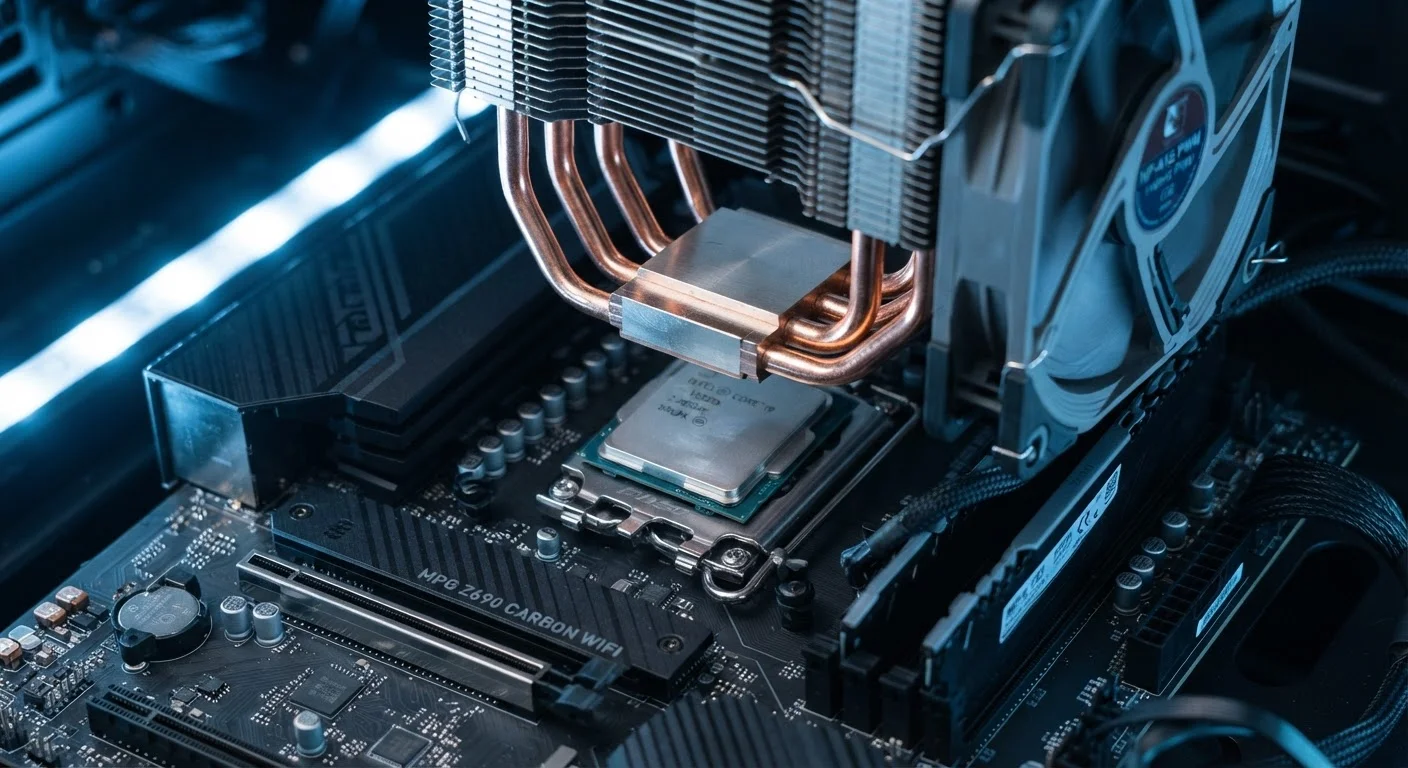
For desktop users, the range of cooling options is broader. Replacing a stock CPU cooler with a larger aftermarket air cooler - one with more copper heat pipes and a bigger fan - can lower processor temperatures by a meaningful margin without requiring any hardware upgrade. Better airflow inside the case, achieved by adding or repositioning case fans, further reduces ambient temperatures for all components.
Laptops are more constrained, but not without options. Cleaning dust from intake vents and fan exhaust ports is free and often produces immediate results. Replacing dried thermal paste is the single highest-impact maintenance step most laptop owners never think to perform. External cooling pads, which sit beneath the laptop and direct airflow upward, can supplement built-in cooling for users who run demanding workloads regularly.
It's worth noting that cooling improvements don't make a slow processor faster - they allow a capable processor to run at the speeds it was already rated for, without throttling pulling it back. That distinction matters when weighing whether the effort is worthwhile. As our upgrade myths article notes, consumers often spend money on new components when maintenance would have solved the problem for a fraction of the cost.
Making Cooling Part of Your Maintenance Routine
Thermal maintenance doesn't require expertise, but it does require consistency. Cleaning dust from vents, fans, and heat sinks every six to twelve months prevents the gradual buildup that restricts airflow. Monitoring software can alert you to rising temperatures before they become a sustained problem.
If a computer is three or more years old and running noticeably hotter than it used to, thermal paste replacement is worth investigating - especially before investing in a hardware upgrade. Spending time and money on new RAM or storage will do little if the processor is throttling itself back every time the workload increases. For steps to take after any upgrade or maintenance work, see our guide on keeping a computer running well after an upgrade.
Thermal Issues Affect Phones Too
Thermal throttling isn't exclusive to computers. Smartphones use the same protective mechanism when their processors run too hot - often during gaming, video recording, or charging while in use. The causes and solutions differ from desktop cooling, but the effect on perceived speed is similar. Our article on smartphone overheating covers when heat is harmless and when it signals a real problem.