

Key Takeaways
- Firewalls inspect incoming and outgoing data and block traffic that doesn't meet defined security rules.
- Most home routers include a basic hardware firewall that activates automatically when set up.
- Operating systems like Windows and macOS include built-in software firewalls you should keep enabled.
- A firewall alone is not sufficient protection — it works best alongside updated software and strong passwords.
- Consumer-grade firewalls focus mainly on blocking unsolicited inbound connections from the internet.
Firewall
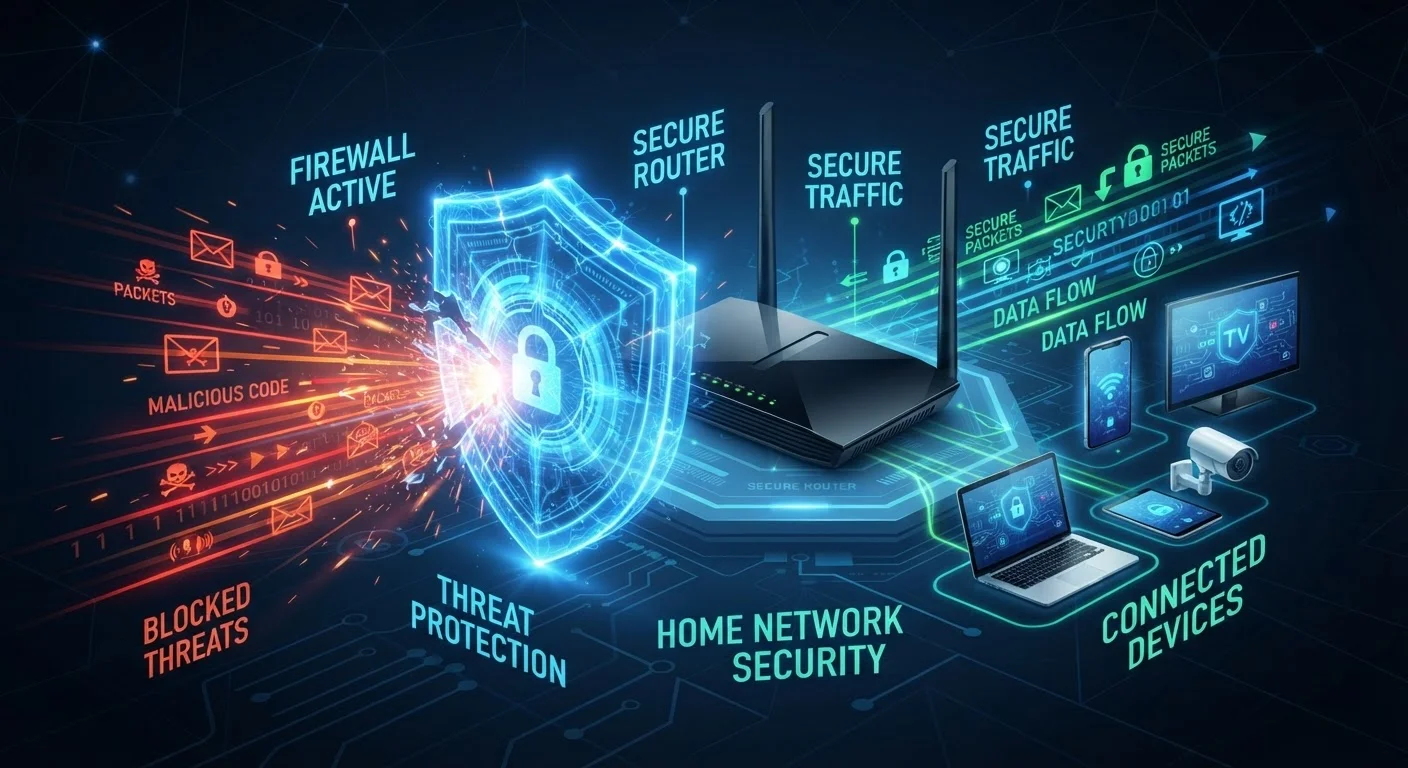
A firewall is a security system that monitors and controls the flow of network traffic between your devices and the internet. It works like a checkpoint, examining data packets as they enter or leave your network and blocking anything that looks suspicious or unauthorized. Firewalls can be hardware built into your router, software running on your computer, or a combination of both.
At its core, a firewall applies a set of rules — often called policies — to decide whether to allow or deny individual packets based on attributes like source IP address, destination port, and protocol type.
The Gatekeeper Analogy: How a Firewall Thinks
Every time your phone loads a webpage, streams a video, or receives an email, data is traveling back and forth between your device and servers somewhere on the internet. That data moves in small chunks called packets, and a firewall's job is to inspect those packets and decide — based on a set of rules — whether to let them through or drop them.
Think of it as a security guard at a building entrance. The guard checks credentials against an approved list. Recognized visitors get in; unrecognized ones are turned away. A firewall does the same thing with network traffic, checking attributes like where a packet is coming from, where it's going, and what type of connection it's part of.
For most home users, the firewall in your router blocks unsolicited inbound traffic — connection attempts from the internet that you never initiated. This prevents random external actors from directly probing or communicating with your devices. To understand more about how data moves across your home network in the first place, see how Wi-Fi actually works.
Stateful vs. Stateless Inspection
Modern consumer firewalls use stateful inspection, meaning they track the state of active connections rather than evaluating every packet in isolation. This allows them to recognize that a packet arriving from the internet is a legitimate reply to a request your device made — and permit it — while still blocking packets that have no corresponding outbound request.
Types of Firewalls Consumers Actually Encounter
Not all firewalls work the same way. The two most relevant categories for everyday consumers are:
- Hardware firewalls: Built into your home router. They protect every device on your network simultaneously by filtering traffic at the network's entry point. Most consumer routers use NAT, which automatically hides your devices' internal IP addresses from the public internet — providing a meaningful layer of protection without any setup required.
- Software firewalls: Programs that run on a single device. Windows Defender Firewall and the macOS Application Firewall are both enabled by default on their respective operating systems. These give you finer control over which applications can send or receive data on that specific machine.
For a deeper look at how routers and modems fit into your overall home setup, the home networking fundamentals guide covers the full picture.
Check Your Software Firewall Right Now
On Windows, search for 'Windows Defender Firewall' in the Start menu and confirm it shows as 'on' for both private and public networks. On a Mac, go to System Settings > Network > Firewall and verify it is enabled. This two-minute check confirms your first line of on-device defense is active.
What a Firewall Cannot Do
Firewalls are a critical layer of defense, but they have real limits consumers should understand.
A firewall does not scan files for viruses, detect phishing links in emails, or protect you from malicious software you intentionally download and run. If you click a link in a scam email and download ransomware, your firewall is unlikely to stop it — because you initiated that connection yourself, and the firewall treats it as legitimate outbound traffic.
Firewalls also don't encrypt your data or hide your browsing activity. That's the role of VPN technology. And they aren't a substitute for keeping your software updated — unpatched vulnerabilities in apps and operating systems can be exploited through connections the firewall permits.
~80%
Home routers with firewall protection enabled by default
Industry surveys consistently indicate that the vast majority of consumer routers ship with NAT-based firewall functionality active out of the box, requiring no configuration from the user.
Billions
Malicious connection attempts blocked globally per day
Enterprise threat intelligence reports from major security vendors document billions of blocked intrusion attempts daily, illustrating the scale of automated scanning that firewalls quietly handle.
For a comprehensive approach to locking down your home network, the complete home network security guide covers firewalls alongside the other habits that matter most.
Practical Steps to Make Sure Your Firewall Is Working
You don't need to configure much to benefit from firewall protection — but a few checks are worth making:
- Don't disable your software firewall. Windows and macOS enable theirs by default. Avoid turning them off, even when troubleshooting app connectivity issues. Most app problems have other causes.
- Keep your router's firmware updated. Your router's hardware firewall is only as good as its current software. Manufacturers release firmware updates that fix known vulnerabilities — check your router's admin panel periodically.
- Use your router's guest network for IoT devices. Smart speakers, thermostats, and cameras can be isolated on a separate network segment, limiting what a compromised device can reach. See protecting every device on your network for practical isolation strategies.
A firewall is one layer in a multi-layer security posture — not a single solution. Combined with strong, unique passwords and up-to-date software, it forms a reliable baseline for home network defense.
“Security is always excessive until it's not enough. A firewall is the baseline expectation, not the ceiling.”
— Roberta Bragg, Network security author and CISSP instructor